Driving Digital Performance for a Digital Media Brand
Headless CMS scales and improves WPWhiteBoard’s content distribution, flexibility, and personalization
Ankita Deb
Today, speaking only one language means leaving opportunity on the table.
Your digital product, your app, your website, all hold immense potential, but that potential is capped when your message can't connect with local audiences in the words they understand best.
The task of expanding into multiple markets often lands on your desk, and it can feel like a mountain to climb.
You're not just flipping a switch; you're building bridges to new customers, and every broken link or awkward translation can weaken the connection.
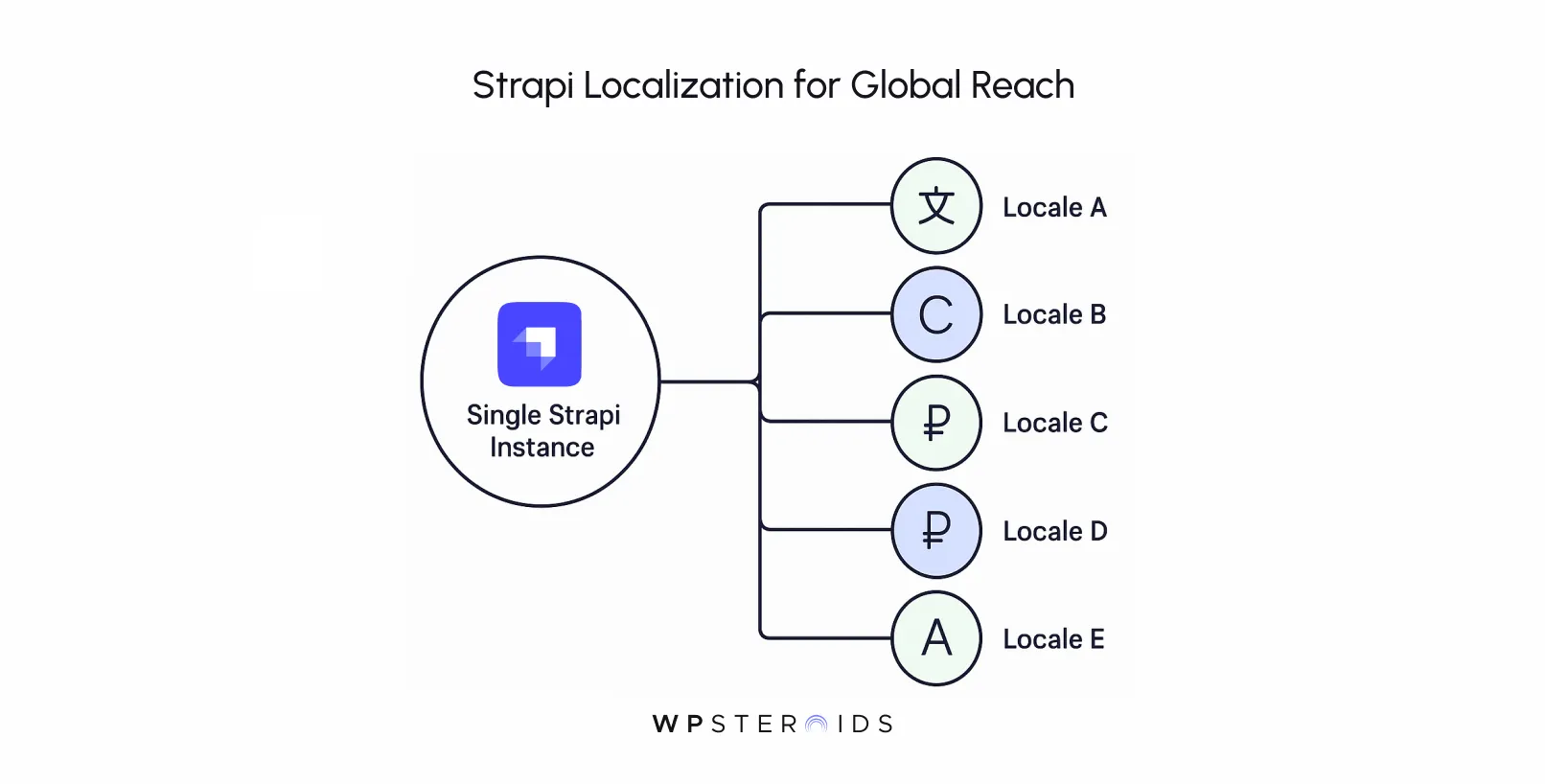
Strapi localization is the core Internationalization (i18n) feature for creating, managing, and delivering content in multiple languages from a single instance.
By enabling localization on specific content types, content teams can produce unique versions of an entry for each configured locale.
Developers then fetch this language-specific content via the API to build tailored user experiences for global audiences.
If you're looking for a clear path forward, you've found it. The strategic "why" and the technical "how" to master Strapi's localization features.
Before getting into all that technical setup, it's important to understand the foundational concepts.
The terms "localization" and "internationalization" are often used interchangeably, but they represent two distinct, yet complementary, stages of building a global product. Getting this right is the first step toward a sound strategy.
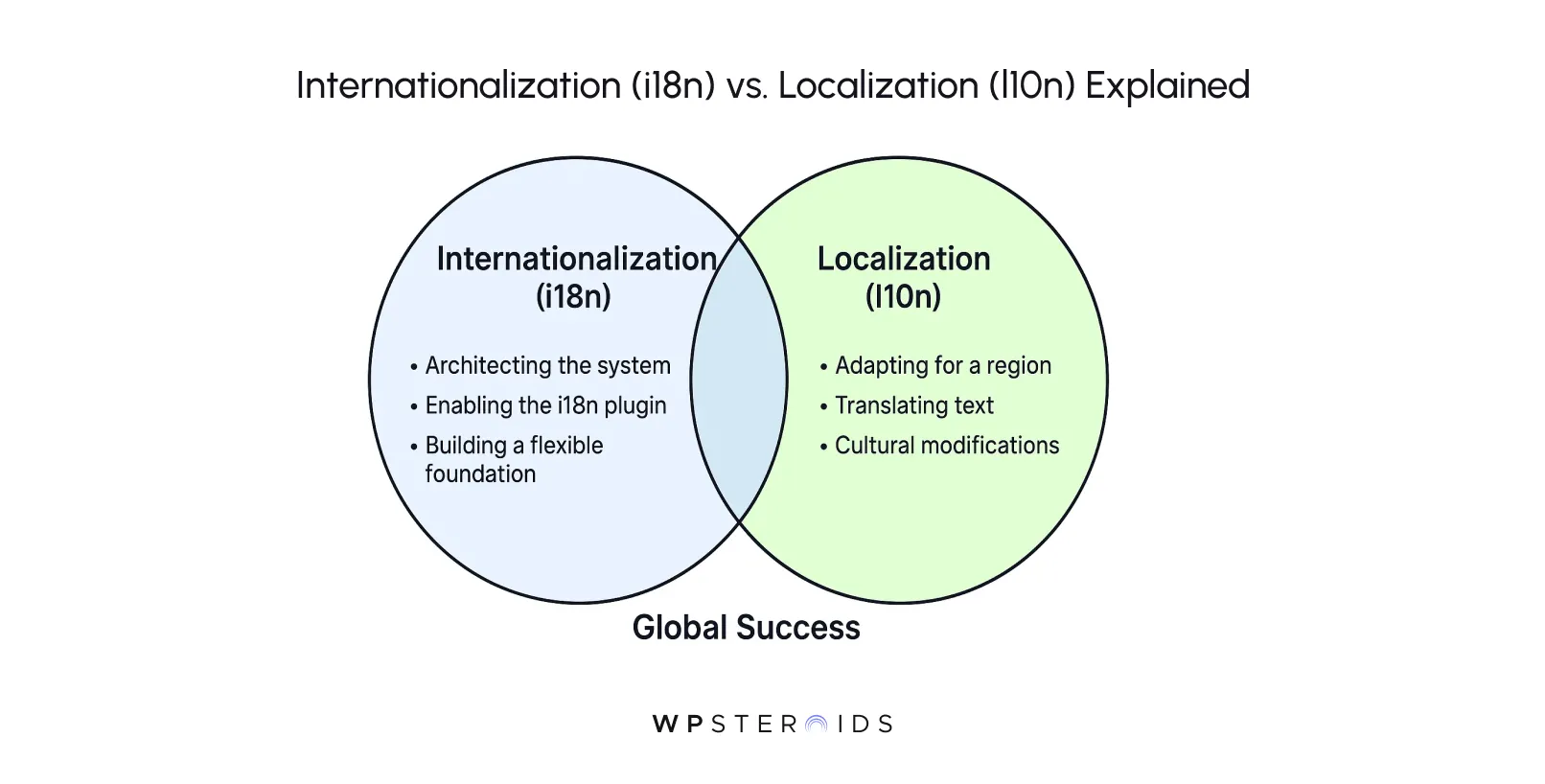
So, how does localization differ from internationalization (i18n) in Strapi?
Let’s see it this way: Internationalization (i18n) is the process of architecting your application so that it can be adapted for various languages and regions without needing to re-engineer the core code. It's about building a flexible foundation.
You’re preparing your content models to handle multiple versions of an entry, making your backend capable of supporting a global audience. It's the "behind-the-scenes" work that makes localization possible.
Localization (l10n), on the other hand, is the process of actually adapting your internationalized app for a specific region or language.
This is the hands-on work of translating text, changing images to be culturally relevant, formatting dates and currencies correctly, and modifying layouts to suit the target locale. It's the visible, user-facing part of the equation where you tailor the experience to feel native to a specific audience.
In short, i18n builds the roads, and l10n decides which country's traffic laws to follow on those roads. You can't have one without the other for a truly global experience, which is why localization and internationalization are both critical.
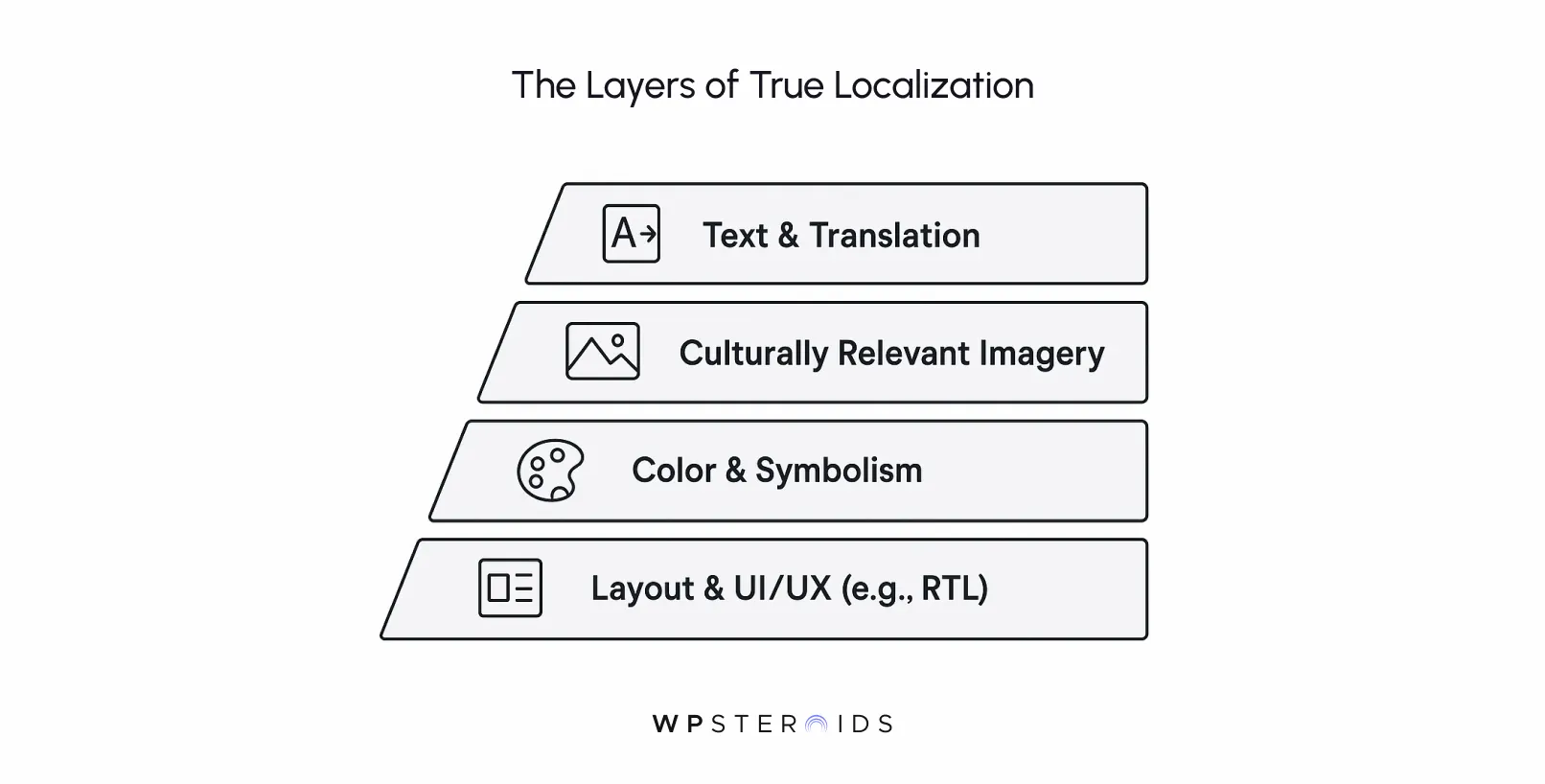
A common pitfall is treating localization as a simple find-and-replace for text. True success lies in accommodating cultural differences, which goes far beyond direct translation.
To genuinely connect with users in different languages and cultures, you must consider the context that gives words their meaning.
This involves deep market and cultural research. For example:
Search engines are sophisticated enough to recognize when content is genuinely tailored for a region versus when it's just a lazy translation.
Applying SEO best practices means creating an entire experience that feels authentic, which in turn builds trust, reduces bounce rates, and signals to search engines that your content is a high-quality result for that specific market.
This tool is what transforms your single-language CMS into a global content hub. It's built right into the core of Strapi v4 and newer, so you don't need to hunt for it; you just need to activate and configure it.
So, what is localization in Strapi? At its core, it's a system managed by the i18n plugin that allows you to create distinct versions of your content entries for different languages, or "locales."
This functionality is a native part of all modern Strapi versions (v4+), making it a stable and well-supported feature.
To get started, your only prerequisite is a working Strapi project.
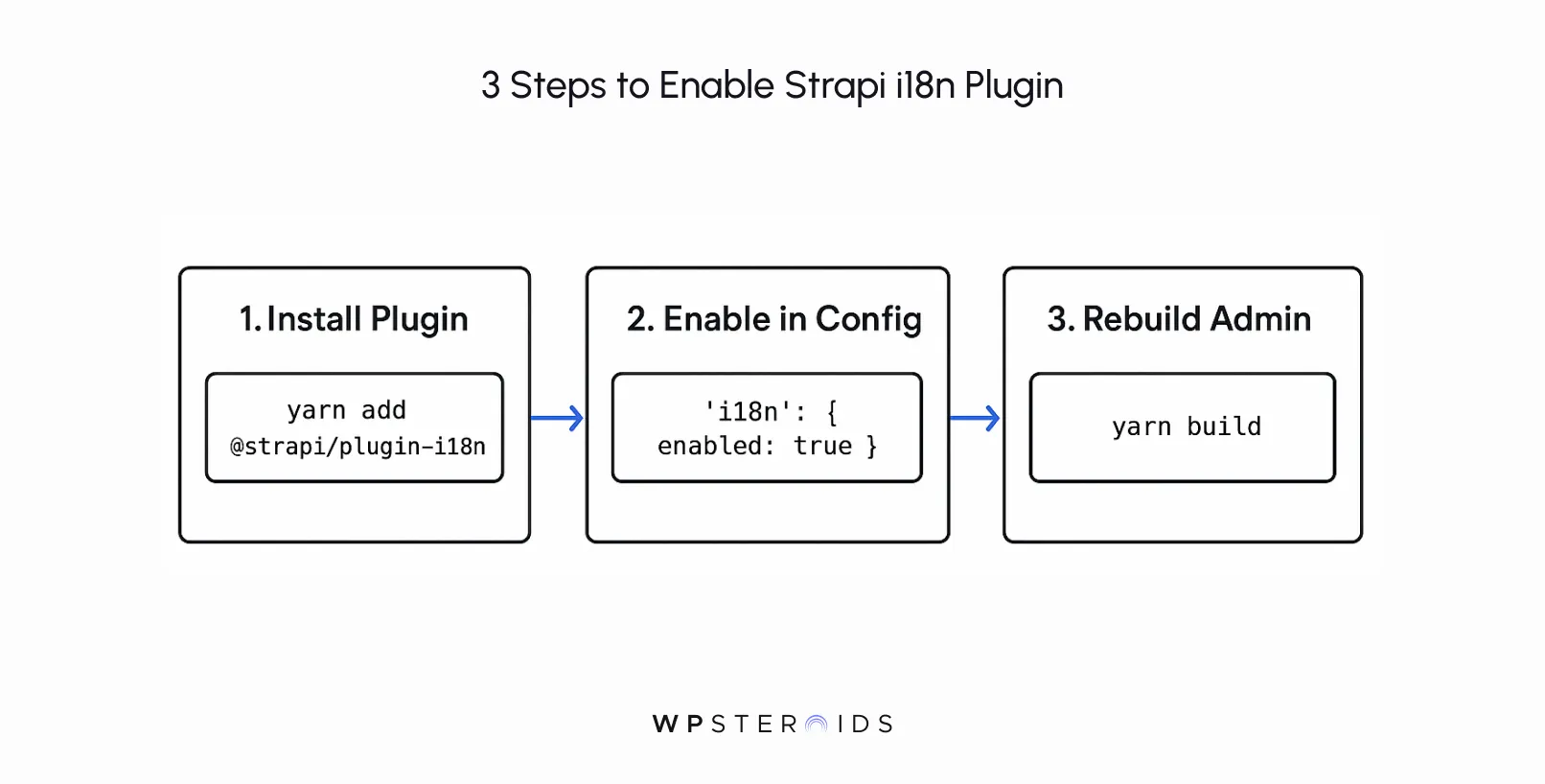
From there, enabling the plugin is straightforward.
# Using npm

npm install @strapi/plugin-i18n

# Using yarn

yarn add @strapi/plugin-i18nmodule.exports = {
// ...
'i18n': {
enabled: true,
},
// ...
}# Using npm
npm run build
# Using yarn
yarn buildOnce you restart your server, you'll find a new "Internationalization" link under the "Settings" section of your admin panel.
You are now ready to unleash multilingual content. The plugin is built to make localization easier, giving you the foundation to efficiently localize your content.
To make sense of what this plugin actually does, here's a helpful way to think about it:
Think of Strapi’s i18n plugin like a multi-story library. The library (your CMS) holds the same book titles (content types), but on each floor (locale), they’re stocked in different languages.
The librarian (Strapi’s admin panel) helps you add translations, while readers (front-end apps) can choose which floor to enter, seamlessly accessing the right version.
With the plugin enabled, your next step is to configure locales. This is where you tell Strapi which languages you plan to support.
Navigate to Settings > Internationalization in your Strapi admin panel. Here you'll see a list of available locales, with English set as the default.
From this screen, you can:
Once you save, a transformation happens in your content editor. When you create or edit an "Article," you'll see a new dropdown in the right sidebar under "Internationalization."
This allows your content team to switch between the multiple locales you've configured, creating a unique version of that article for each of your multiple languages.
This powerful native functionality is the starting point. For large-scale projects, many teams integrate Strapi with external translation management systems and translation tools to automate and streamline the process, but the core content structure is managed right here.
Once the technical foundation is in place, the real work begins.
An effective content localization strategy is more than just a checklist; it’s a mindset that should permeate your entire development process.
The biggest mistake teams make is treating localization as a final step, an add-on to a finished product. This approach is not only inefficient but can lead to costly redesigns and technical debt.
To build something that lasts, you need to shift your perspective.
Instead of treating i18n as a plugin you bolt on, it should be regarded as an architectural decision at the very start of product design.
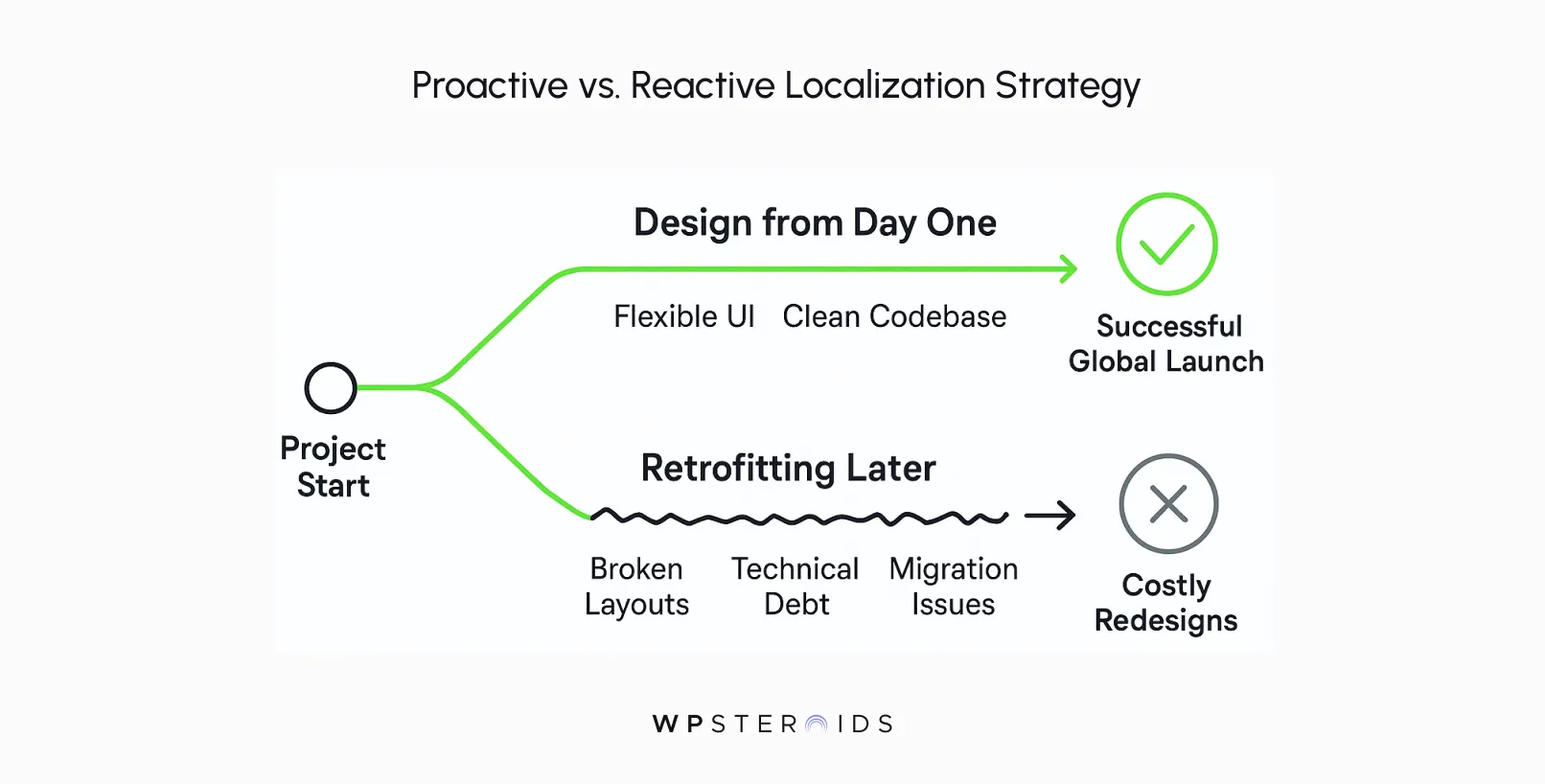
Treating localization as an architectural pillar will transform your content delivery approach.
Expanding into international markets can be a smooth process or a series of frustrating hurdles, and the choice is often made in the first week of a project.
So what does "designing from day one" actually look like?
Adopting this forward-thinking approach is the key to a successful content localization strategy.
It's the difference between building a scalable global platform and a single-language product with a few translations bolted on.
It’s easy for localization to be seen as a purely technical task—a feature request to be checked off a list.
But its impact is profoundly strategic.
Your work as a developer on this front directly connects to your company's ability to compete and grow. When you build multilingual capabilities, you are building the infrastructure for market expansion.
And this isn't a small opportunity. This is about tapping into massive, underserved global markets.
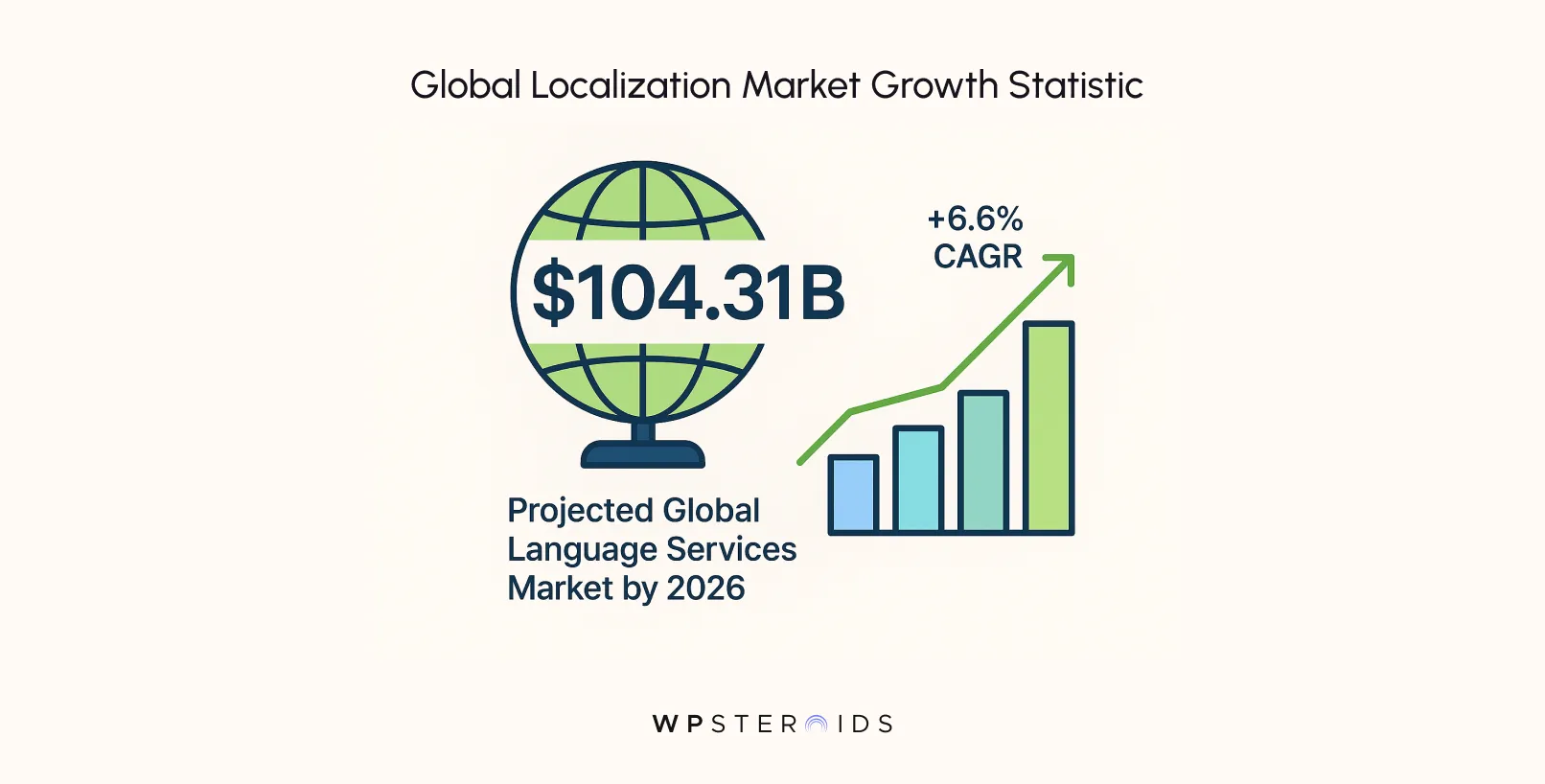
This data provides actionable insights: companies are investing heavily in localization because it unlocks revenue.
When you localize your content, you are making it accessible to the millions of potential customers across regions who don't speak your primary language.
For the markets you want to enter, presenting the content in the local language isn't just a courtesy—it's a baseline expectation.
By building this capability in Strapi, you are giving your entire organization the key to unlock that global growth.
With localization enabled and configured, your Strapi instance is now technically capable of handling multilingual content.
But technology is only half the battle.
The next, more human, challenge is to adapt your content creation process. This is where you empower your content team to move beyond simple translation and start a genuine dialogue with local audiences.
For a content creator, the new workflow should feel intuitive, not intimidating. Strapi's interface is designed to make this process straightforward.
So, how do you create localized versions of content in Strapi?
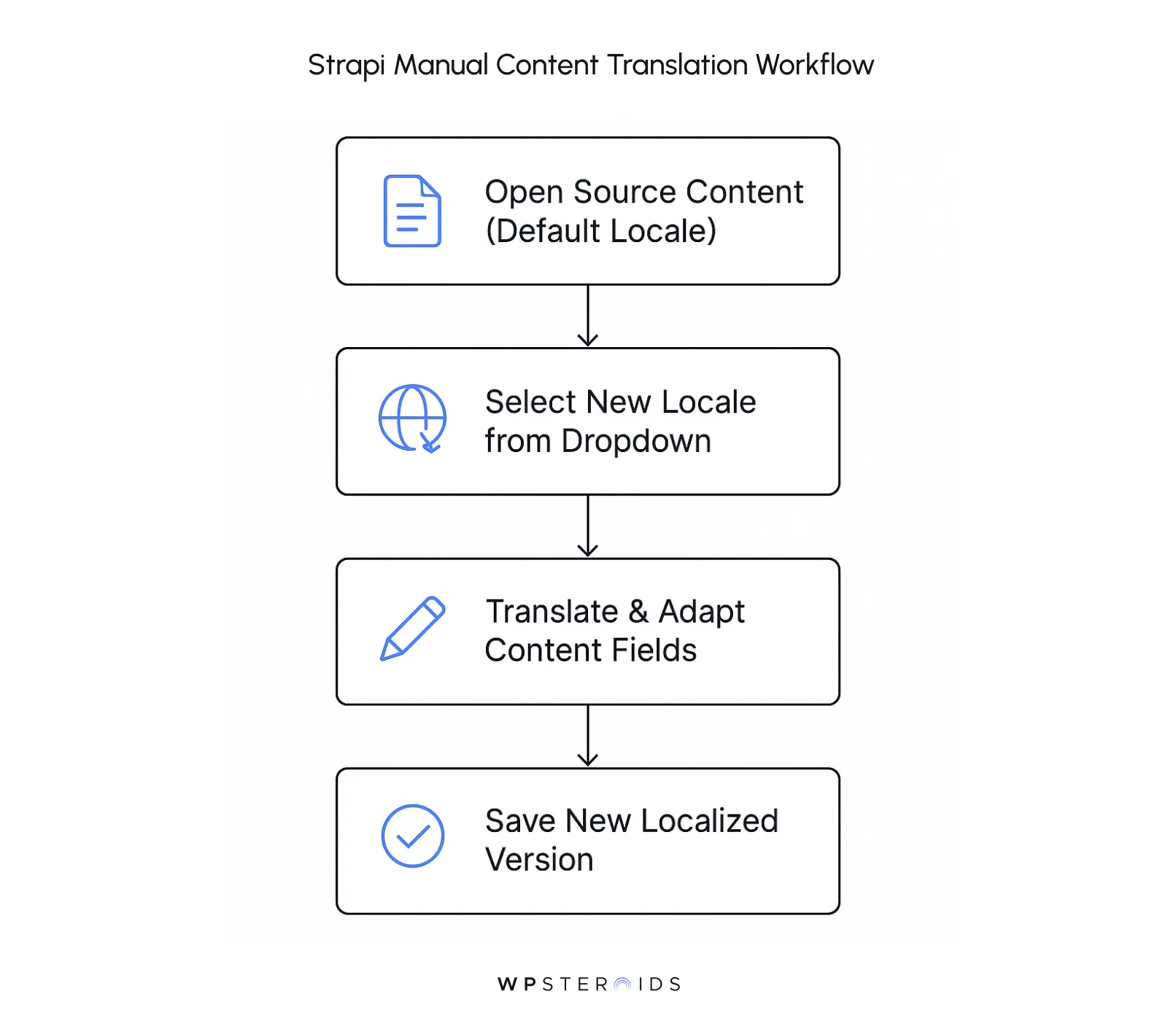
This manual workflow is perfect for many teams, but what about scaling? Can you programmatically create or update localized entries via the Strapi API?
Absolutely. For teams integrating with external translation management systems or building automated workflows, Strapi’s API is fully equipped.
You can programmatically create or update entries by making a POST or PUT request and simply specifying the locale code in the request body.
This allows you to push the content to be localized directly into your CMS, making it a powerful hub for all your multilingual content with minimal manual intervention.
As you scale your localization efforts, two practical questions will inevitably arise:
What happens when a piece of content isn't translated yet, and how do you manage a team of translators without giving them access to everything?
First, let's address the common scenario: What happens if a translation is missing for a locale?
Imagine your site is live in English and French. You publish a new blog post in English but the French translation isn't ready.
If a user visits your French site and requests that article, you don't want them to see a 404 error. Strapi handles this gracefully with a fallback mechanism.
By default, if an entry for a requested locale doesn't exist, the API will serve the content from your default locale instead. This ensures your user always gets a usable page, preventing a broken experience.
Next, you need to think about your team. How do you manage editorial workflows for translators and content editors?
This is where Strapi's Role-Based Access Control (RBAC) becomes essential for creating clean editorial workflows.
You can create custom roles to give translators precise permissions. For example, you could create a "Spanish Translator" role and configure it so that the user can:
This powerful combination prevents a translator for one of your different languages and cultures from accidentally modifying your localized content in another language.
It keeps your workflow secure, organized, and scalable, giving each team member exactly the access they need to do their job effectively.
You've successfully set up your locales, and your content team is busy creating translated entries.
Now comes the crucial step: fetching that specific, localized content to display on your frontend application.
Let's walk through how to query localized content using both the REST API and GraphQL.
Fetching localized content with the REST API is incredibly straightforward.
The key is the locale parameter, which you can add to your API requests to specify which version of the content you want.
Let's look at some common scenarios:
1. Fetching a Collection of Entries for a Specific Locale:
To get all "Articles" that have been localized for French (fr), you simply add locale=fr to your query:
GET /api/articles?locale=frThis request will return only the French versions of your articles. If an article doesn't have a French version, it will be omitted from the results.
2. Fetching a Single Entry for a Specific Locale:
If you know the ID of an entry, you can request its specific localization. For example, to get the Spanish (es) version of the article with ID 1:
GET /api/articles/1?locale=esIf the Spanish version doesn't exist, Strapi's default fallback logic will kick in, and it will return the content from your default locale (e.g., English).
3. Populating Relations with Localized Content:
When you retrieve an entry, you often need its related data. The populate parameter works seamlessly with localization. If you request a French article and populate its "author" and "category" relations, Strapi will fetch the French versions of those relations if they exist.
GET /api/articles?locale=fr&populate=author,categoryThis ensures that your entire data graph remains consistent with the requested language, giving you all the content with the correct translations in a single call.
1. Querying a Collection of Entries:
To fetch all articles for the German (de) locale, you would structure your query like this:
query {

  articles(locale: "de") {

    data {

      attributes {

        title

        content

      }

    }

  }

}
2. Querying a Single Entry:
Similarly, to retrieve a single article by its ID for a specific locale:
query {

  article(id: 1, locale: "de") {

    data {

      attributes {

        title

        content

        locale

      }

    }

  }

}

3. Fetching Available Localizations:

A powerful feature of the GraphQL plugin is the ability to query all available localizations for a single entry. This is incredibly useful for building a language switcher on your frontend. You can fetch one version of your content and also get a list of all its other translated counterparts.

query {

  article(id: 1) {

    data {

      attributes {

        title

        locale # The locale of this entry (e.g., "en")

        localizations {

          data {

            attributes {

              locale # The other available locales (e.g., "fr", "es")

              slug

            }

          }

        }

      }

    }

  }

}
This query gives you everything you need to render the current page and provide links to its other language versions, making for a seamless user experience.
As you move from theory to practice, you'll encounter challenges that go beyond the initial setup.
Launching one or two extra languages might be simple, but scaling to five, ten, or even twenty brings a new level of complexity.
Anticipating these hurdles is key to building a robust and manageable multilingual system that doesn't buckle under its own weight.
When your content repository expands across multiple locales, maintaining consistency and quality becomes a primary concern.
Every piece of content now has several parallel versions, and a simple update in one language can create a ripple effect of necessary changes across all others.
So, what are the best practices for managing this complexity?
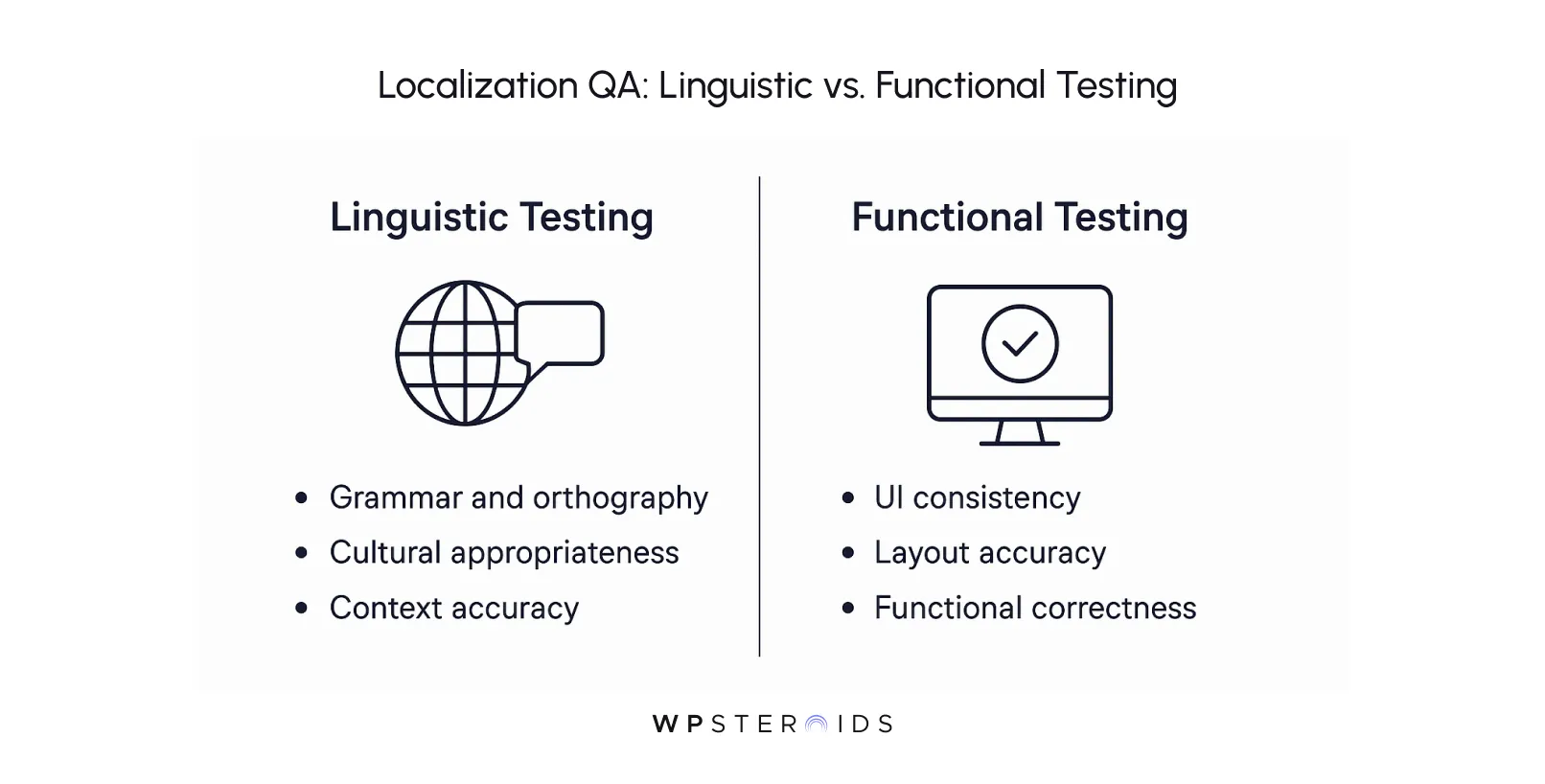
Expert Tip: Your localization QA process isn't just about catching typos; it's about ensuring the user experience feels native, not translated. Rigorous testing ensures the design accommodates content variations, preventing broken layouts and maintaining a high standard of quality for every audience.
As your number of locales and content entries grows, so does the amount of data in your database. This can lead to performance concerns if not managed properly.
A slow API response can degrade the user experience, impacting everything from user engagement to SEO rankings.
The goal is to ensure seamless user experiences across regions, regardless of the scale.
Here are key strategies to address scalability concerns:
By proactively addressing these performance factors, you can build a Strapi backend that is not only rich with multilingual content but also fast and reliable, providing a seamless user experience for your global audience.
While entering translations directly into the Strapi admin panel is a great starting point, it doesn’t scale effectively for teams managing a large volume of multilingual content across many locales.
Professional translation is a specialized field, and your workflow needs to accommodate the expert translation tools that your language partners use.
This is where Strapi's API-first architecture truly shines, allowing it to serve as the central hub in a sophisticated, automated ecosystem.
These systems offer features like translation memory (to avoid re-translating the same phrases), glossaries (to ensure consistent terminology), and collaborative tools for professional translators.
The typical automated workflow looks something like this:
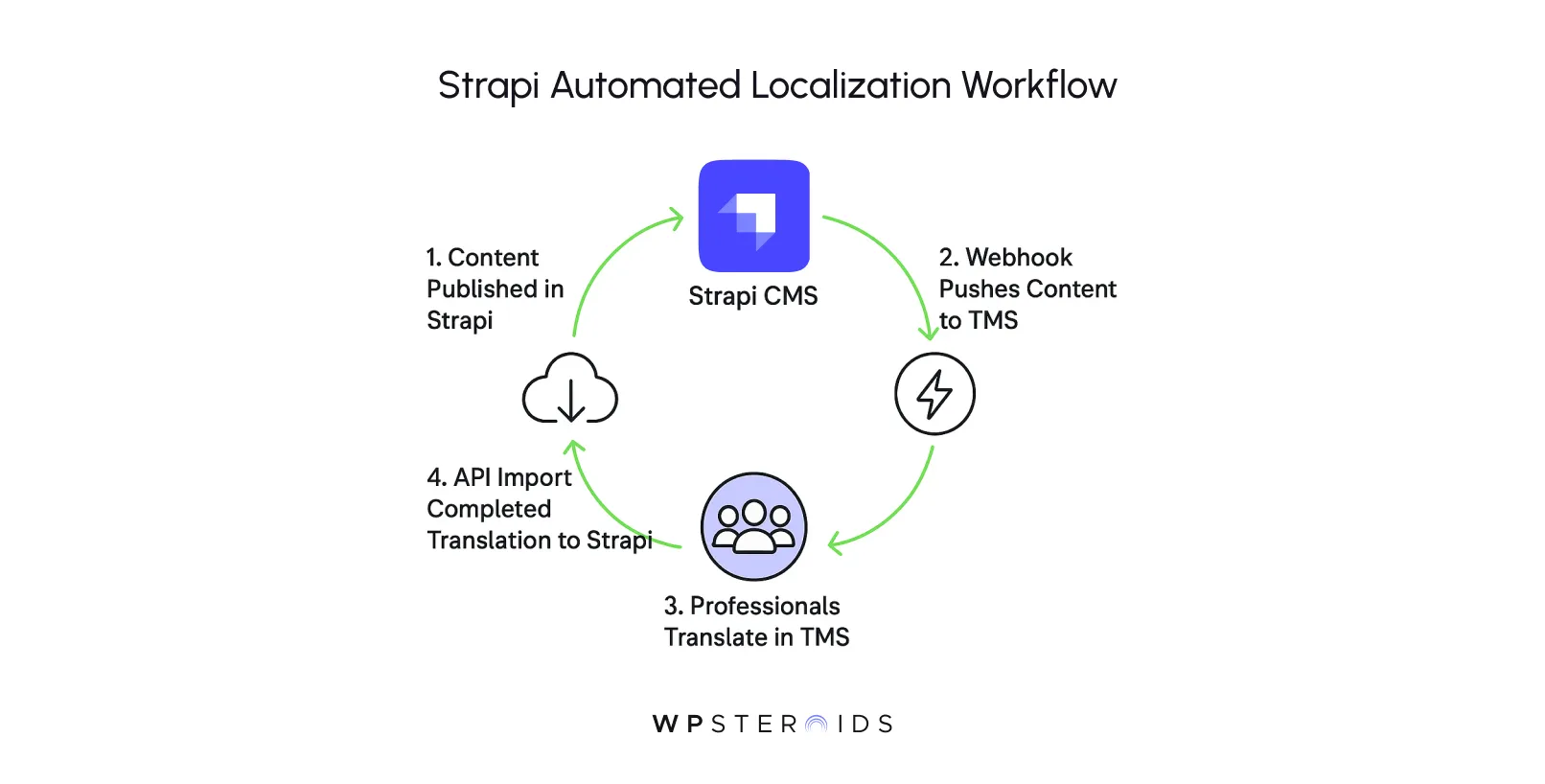
This entire process transforms your workflow from a manual, copy-paste chore into a highly efficient, automated pipeline.
By connecting Strapi to professional translation services and platforms, you leverage the best of both worlds:
Strapi's flexible content modeling and robust APIs, combined with the powerful, specialized features of dedicated translation management systems.
This integration is the key to scaling your localization efforts without sacrificing quality or speed.
For most production-grade projects, you'll want to select a set of complementary tools and technologies to build a complete localization stack.
Choosing the right localization tools depends entirely on your team's workflow, the scale of your content, and your budget.
Your "localization stack" can generally be broken down into three key areas:
Ultimately, selecting the right localization tools is about building a workflow that empowers your team.
A small project with two languages might only need Strapi and a frontend library, while a large enterprise application will almost certainly benefit from a dedicated TMS and a tight plugin integration.
Analyze your needs, evaluate your options, and assemble the stack that will make your global ambitions a reality.
Upgrading a major version of any software can feel like a high-stakes operation, and when you have a complex set of localized content, the risks can feel even greater.
But a successful migration requires careful planning and execution.
So, how do you migrate localization data from Strapi v4 to v5?
The core of the process relies on following the official Strapi migration guides and using the provided data migration scripts.
These scripts are designed to handle the underlying database schema changes, ensuring that the relationships between your original content and all its localized versions are preserved.
While the scripts do the heavy lifting, your role is to prepare, execute, and meticulously verify the outcome.
Here’s a breakdown of the key steps and considerations to safely migrate localization data:
You now have a complete roadmap for mastering Strapi localization, one that turns a daunting technical challenge into a clear, achievable plan for growth.
By now, you see that this is about so much more than just translating your content. It’s about building bridges to new communities and unlocking the full potential of your digital presence.
By integrating localization strategically from day one and leveraging Strapi's robust features, you can build scalable, multilingual solutions that don't just comply with a requirement—they help you compete on a global scale.
You’re not just localizing your site; you are building a platform for global success. The investment you make in connecting with your audience in their own language will pay dividends in trust, engagement, and growth.
Ready to unleash the global potential of the content you've worked so hard to create? Book your discovery call to explore how we can tailor a solution for your unique needs.
1. How do you localize content in Strapi with the Localazy plugin?
Using the Localazy plugin streamlines the translation workflow. After installing the plugin from the Strapi marketplace, you connect it to your Localazy account.
From there, you can push content from specific fields directly to the Localazy platform for translation. Once the translations are complete, you can pull the new versions back into the correct locales in Strapi, often with just a few clicks.
2. What is localization in Strapi?
Localization in Strapi is the core feature, powered by the Internationalization (i18n) plugin, that enables you to create, manage, and deliver content in multiple languages. It allows you to create distinct versions of an entry for each language or "locale" you configure, all from a single Strapi instance.
3. What’s the difference between internationalization (i18n) and localization in Strapi?
Internationalization (i18n) is the process of preparing your Strapi application's architecture to handle multiple languages.
It's the foundational step of enabling the i18n plugin and configuring content types to be translatable. Localization (l10n) is the subsequent action of actually translating, adapting, and creating the content for a specific locale. In short, i18n builds the capability; localization is the act of using that capability.
4. How do I switch between locales in the Strapi admin panel?
When you are editing a content entry that has localization enabled, you will see an "Internationalization" section in the right-hand sidebar.
This section contains a dropdown menu showing all the locales you have configured. Simply select a different locale from the dropdown to view or edit its specific version of the content.
5. How do I create localized versions of content in Strapi?
To create a new localized version, start with an existing entry in your default language. In the "Internationalization" sidebar, select a new target locale from the dropdown.
Strapi will then generate a new, linked version of that entry for the new locale, copying over any non-localizable fields and leaving the localizable fields ready for you to translate and adapt.
6. How do I query localized content via the Strapi API?
For the REST API, you add the locale parameter to your request (e.g., /api/articles?locale=fr). For GraphQL, you use the locale argument in your query (e.g., articles(locale: "fr")).
In both cases, the API will return the content specifically for the requested locale, falling back to your default locale if a translation doesn't exist.
7. How can I optimize localized content for SEO?
Key SEO optimizations include:
8. How do I migrate localized content when upgrading Strapi versions?
The process involves three main steps: