Driving Digital Performance for a Digital Media Brand
Headless CMS scales and improves WPWhiteBoard’s content distribution, flexibility, and personalization
Aarya Panse
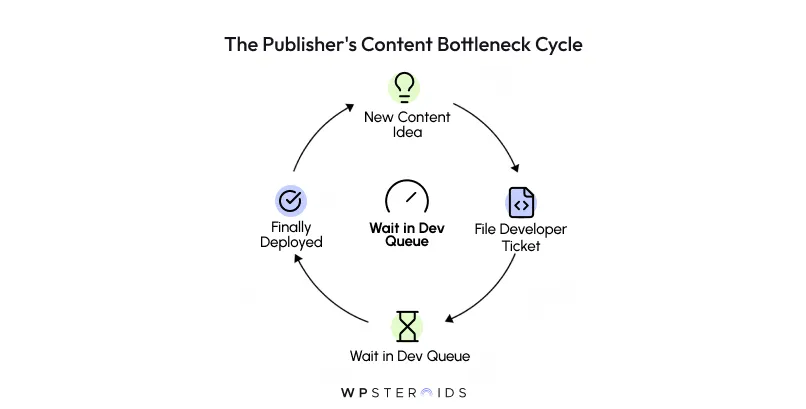
Are your editorial teams constantly stalled by content bottlenecks and an over-reliance on developers for even minor updates? You're not alone.
That frustrating cycle of needing to file a ticket for a simple change, waiting in a queue, and watching your content velocity grind to a halt is a reality for too many digital publishers.
You know your current system is holding you back, but the path forward feels cluttered with technical jargon and endless sales pitches.
The solution lies in a fundamental shift in how you think about your content architecture.
The best headless CMS for publishers is one that decouples content from presentation, enabling your team to create content once and distribute it everywhere—from websites and mobile apps to newsletters and emerging platforms—while providing an intuitive authoring experience that accelerates your content velocity.
And while those things are important, they miss the most critical point for a publishing organization.
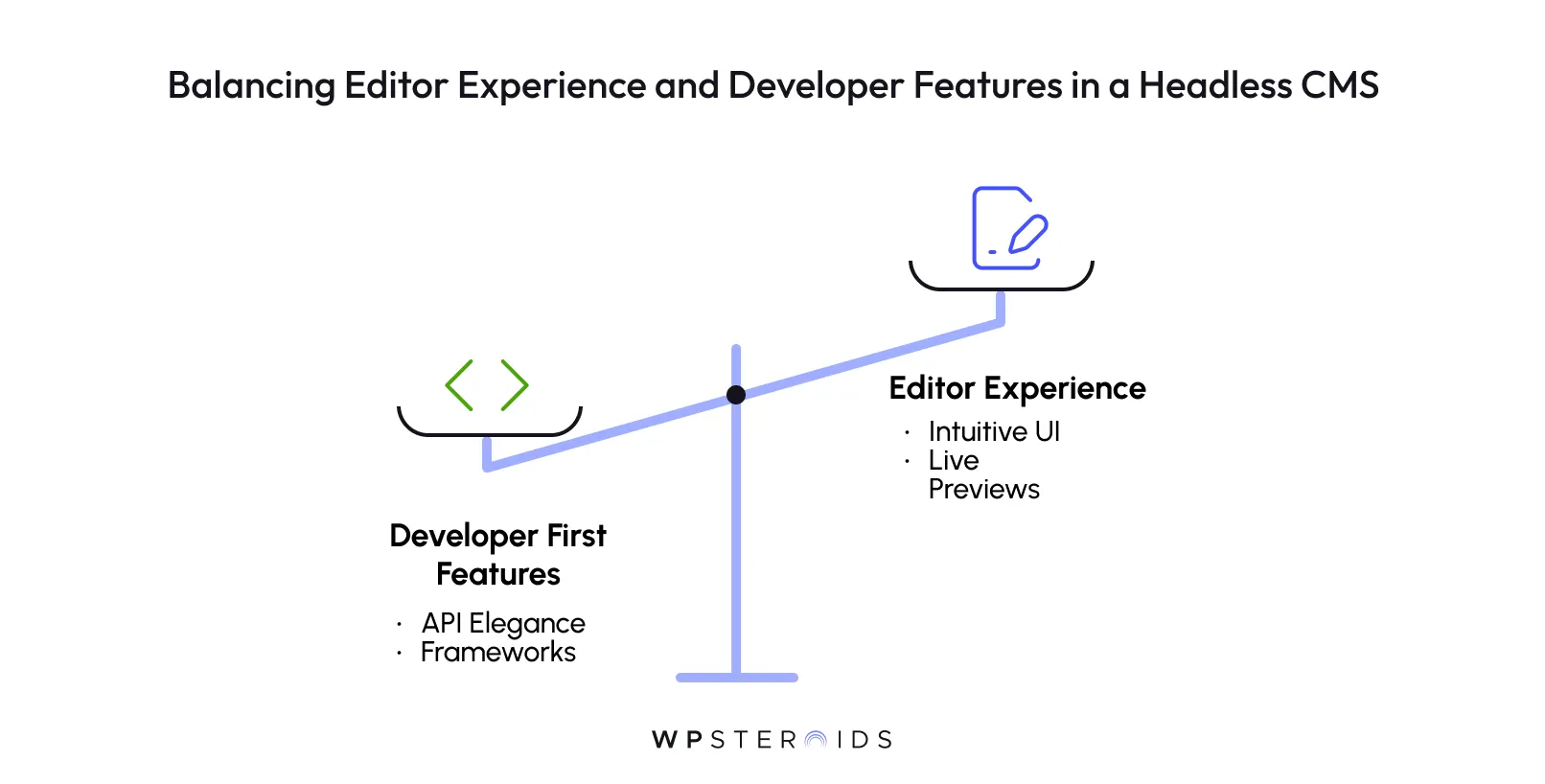
The true return on investment from a new CMS doesn’t come from the elegance of its API; it comes from the velocity and quality of the content your team can produce with it.
If the platform you choose empowers developers but creates daily friction for the editorial team, it will fail.
Many organizations fall into the trap of choosing a CMS that developers love. These platforms are often powerful and flexible from a technical standpoint but treat the actual authoring interface as an afterthought.
The result? A system with a steep learning curve, a confusing UI, and rigid content structures that force your writers to constantly ask for help.
This developer-first mindset creates hidden costs that bleed productivity. Every time an editor has to use a clunky workaround to build a landing page, every time a writer can’t figure out how to format an article, and every time you have to file a ticket for a minor change, you lose momentum.
Your team starts to struggle with structured content, and the promise of speed and agility that led you to a headless CMS evaporates into daily frustration. The technology becomes another bottleneck, not a solution.
To avoid this trap, you need to shift your evaluation criteria. While most headless CMS comparisons focus on developer features and multi-channel delivery, the most critical—and often overlooked—factor for a publisher's success is the editor experience.
For publishers to succeed, they must prioritize live previews, intuitive content modeling, and collaborative tools for editorial workflow automation over purely technical specs.
Look for a platform that was actually built for the publishing process. Ask these questions:
The right headless CMS doesn't just manage content; it empowers the people who create it.
By putting the editor experience at the center of your decision, you’re not just buying a piece of technology—you’re investing in your team's ability to create better content, faster.
The term "headless" can be confusing, but the concept behind it is something publishers already understand well. It’s the difference between an old-world printing press and a modern newswire service.
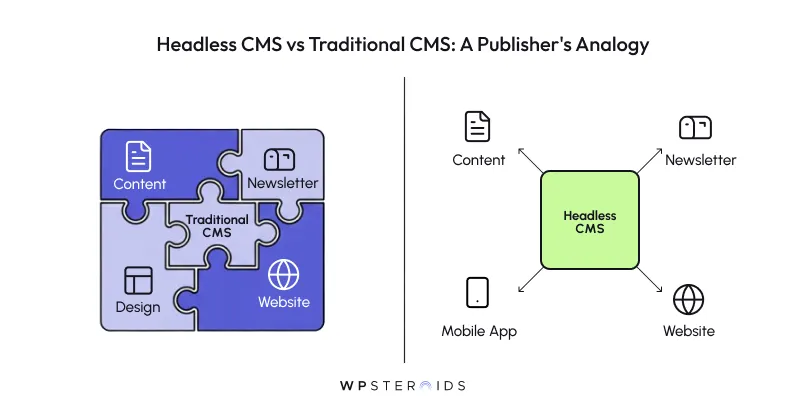
The content (the story), the design (the page layout), and the delivery mechanism (the physical paper) are all fused together in one slow, inflexible process.
If you want to change the layout, you have to re-engineer the whole printing press. If you want to take that story and put it on a television screen, you can't just send the text—you have to start the entire production process over from scratch for that new format.
The content is trapped inside the presentation layer. This is the core challenge in the headless CMS vs traditional CMS for publishing debate; the old model locks you into a single output.
Now, imagine a headless CMS as a central newswire service for your own content, like the Associated Press or Reuters.
The "head" (the website front-end) has been removed from the "body" (the content repository). Your content is now free to travel anywhere.
This separation is what we call a decoupled content architecture, and it changes everything for a modern publisher. When your content isn’t locked into a single website design, you gain incredible agility.
Your developers can rebuild the website using the latest, fastest technology without ever touching the content or disrupting the editorial team's workflow.
More importantly, it prepares you for a future of omnichannel content distribution. Your audience doesn’t just live on your website anymore. They're on mobile apps, in newsletters, on social platforms, and on smart devices.
A decoupled architecture allows you to create a piece of content once and deliver it natively to all of those channels simultaneously.
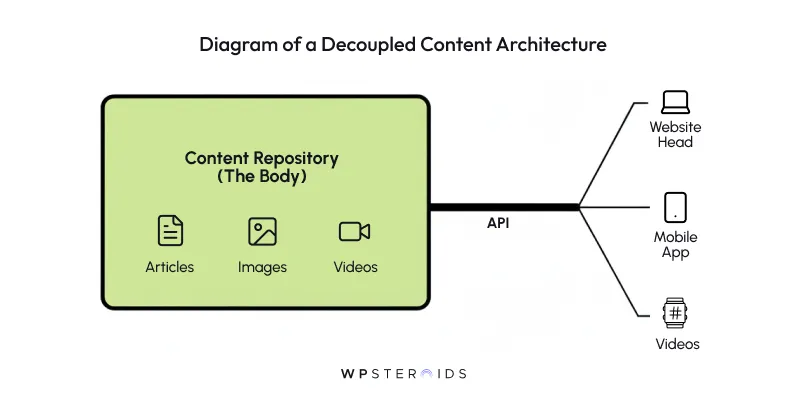
You stop wasting time formatting the same story for five different systems and instead focus on what you do best: creating great content.
Understanding the "what" is one thing, but the "why" is what drives strategic change. The shift toward headless architecture isn't just about adopting new technology; it's a direct response to the most pressing challenges in the digital publishing industry today.
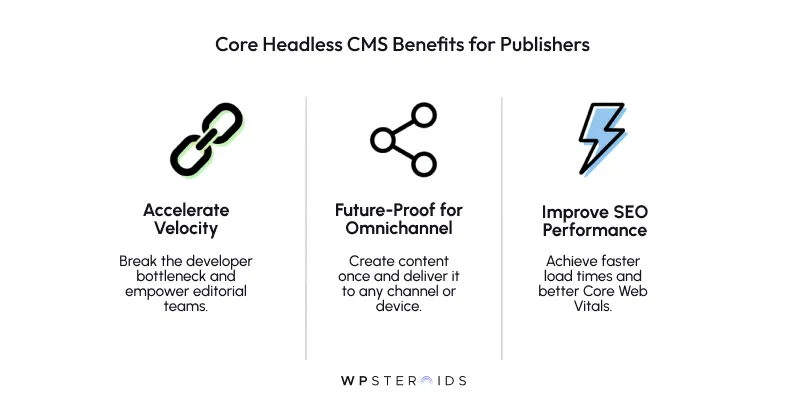
The core headless cms benefits for publishers are about gaining speed, flexibility, and a competitive edge.
Does this sound familiar? Your editorial team has a timely story ready to go, but a small change is needed on the page template. That requires a developer, who is tied up in a two-week sprint cycle. By the time the change is made, the moment has passed.
The top two pain points identified were "slow processes between teams for creating and publishing content" and "over-reliance on developers."
That statistic is the sound of your publishing schedule slipping. A headless CMS breaks this cycle. By separating the content from the code, it empowers your editorial team to create, manage, and even build complex new pages using pre-designed components without ever needing to file a developer ticket.
This is the key to becoming a fast publish cms: it removes the technical barriers between a great idea and a published article, dramatically accelerating your timelines.
It's no longer enough to have a great website. Your audience consumes content on mobile apps, through email newsletters, on social media feeds, and increasingly through new channels like smart speakers and connected TVs.
A traditional CMS, built to serve a single website, makes reaching these audiences an expensive and disjointed process.
A headless CMS, by its very nature, is an API-first cms for multi-channel publishing. It was designed from the ground up to treat your content as a central resource that can be delivered anywhere.
When you publish an article in a headless CMS, you aren't just creating a web page; you are creating a structured piece of content that can be seamlessly pulled into your mobile app, formatted for your newsletter, or even read aloud by a voice assistant.
This future-proofs your content strategy, ensuring you can meet your audience on any platform that emerges tomorrow.
Traditional, monolithic CMS platforms often struggle here. They can be bloated with heavy themes, outdated plugins, and messy code that slow down your site and harm your SEO.
This is one of the most significant advantages of improving Core Web Vitals for publishers with a headless architecture. Because the front-end (the "head") is detached, your developers are free to use modern, lightweight frameworks (like React, Vue, or Svelte) designed for maximum performance.
The result is lightning-fast load times, a better user experience, and a significant boost in Google's eyes. You stop fighting your CMS to get good performance and instead start with a foundation built for speed.
Once you start evaluating different platforms, the sheer number of features can be overwhelming. Instead of getting lost in a sea of technical specifications, you need to focus on the capabilities that directly solve a publisher's biggest challenges.
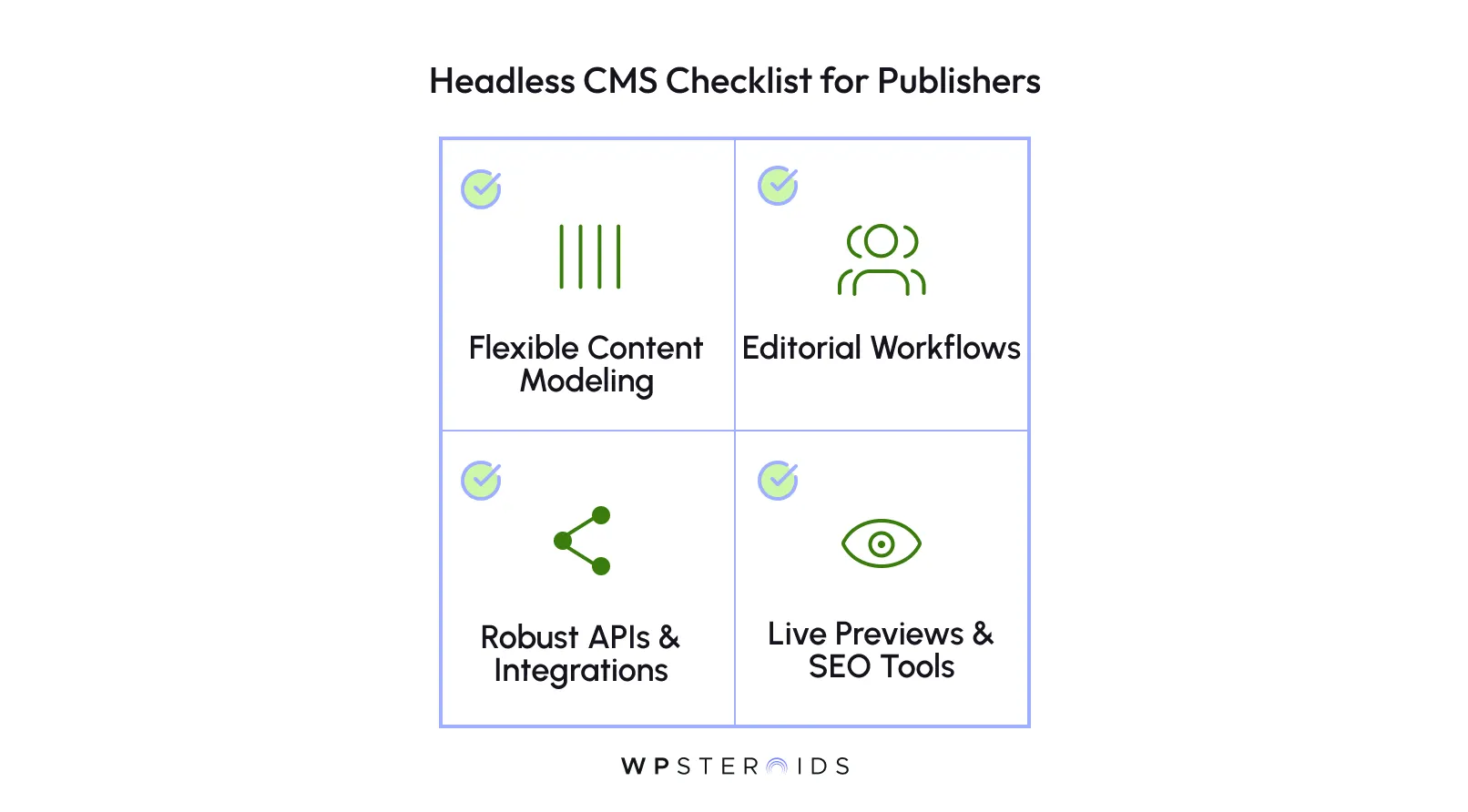
This isn't about finding the CMS with the most features; it's about finding the one with the right features for your content operations.
Here are the non-negotiables.
At its core, publishing is about creating structured information. You don't just write "articles"; you create feature stories, news briefs, author bios, recipes, and video packages.
Each of these has a unique structure. A feature story has a headline, a byline, a body, and pull quotes. An author bio has a name, a headshot, and a list of published works.
Flexible content modeling for publishers is the ability to create custom templates for every single one of these content types. Instead of cramming everything into a single, generic "post" format, you can define the exact fields your editors need.
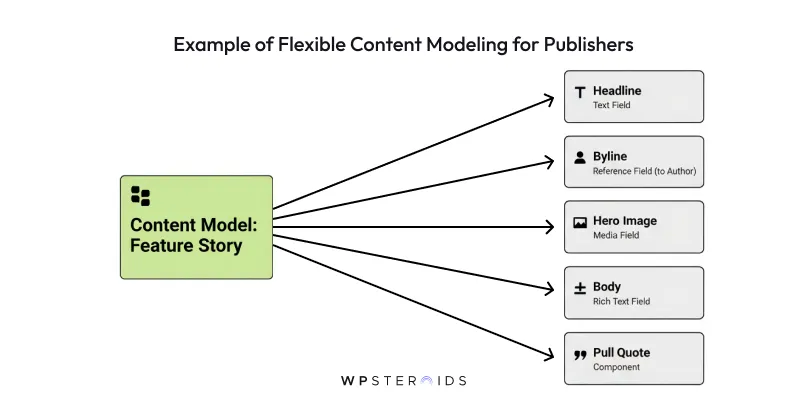
This ensures consistency, makes content creation much faster, and unlocks the ability to reuse and remix content in powerful ways. It's the foundation of a modern, scalable content operation.
Content doesn't just appear on your site. It moves through a process: from idea to draft, through editing and approval, to finally being scheduled and published. Your CMS should support and streamline this process, not fight against it.
Look for a platform built to handle complex editorial workflows and collaboration. This means features like:
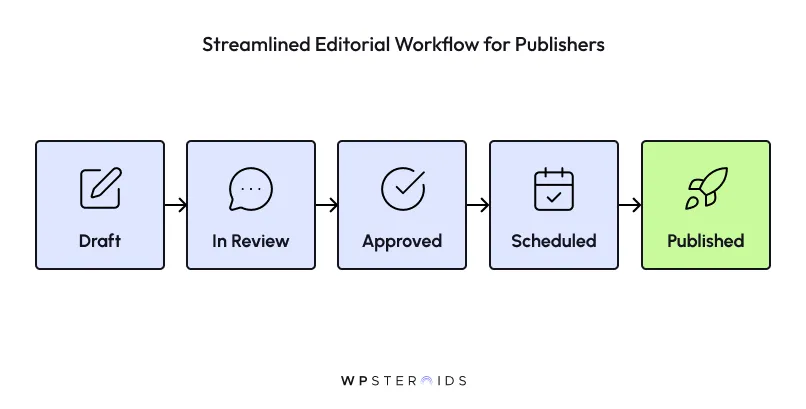
These features move your workflow out of chaotic email threads and Google Docs and into a centralized, transparent system.
The entire point of a headless CMS is to free your content so it can be delivered anywhere. To do that, the platform's Application Programming Interface (API) needs to be powerful, flexible, and reliable.
This is the engine that enables multi-channel publishing. Your developers should be able to easily pull any piece of content and deliver it to your website, mobile app, email platform, or any other channel you can imagine.
Equally important are integrations with third-party services. Your CMS doesn't exist in a vacuum. It needs to connect seamlessly with the other tools you rely on, such as your Digital Asset Manager (DAM) for images and video, your analytics provider for performance data, and your marketing automation platform for lead generation.
One of the biggest fears for editorial teams moving to headless is the idea of "publishing blind." Without a tightly coupled front-end, how can a writer see what their article will look like before it goes live?
The answer is a live preview feature. This is an absolute must-have. A good headless CMS will provide a way for your editors to see a real-time preview of their content on your actual website or app as they are writing.
It eliminates guesswork and gives your team the confidence to create and edit content without constantly asking a developer, "What will this look like?"
Finally, for publishers, SEO is not optional. Your CMS must have intuitive, easy-to-use tools for managing SEO metadata. This includes dedicated fields for SEO titles, meta descriptions, canonical URLs, and alt text for images, all accessible directly within the content editing screen.
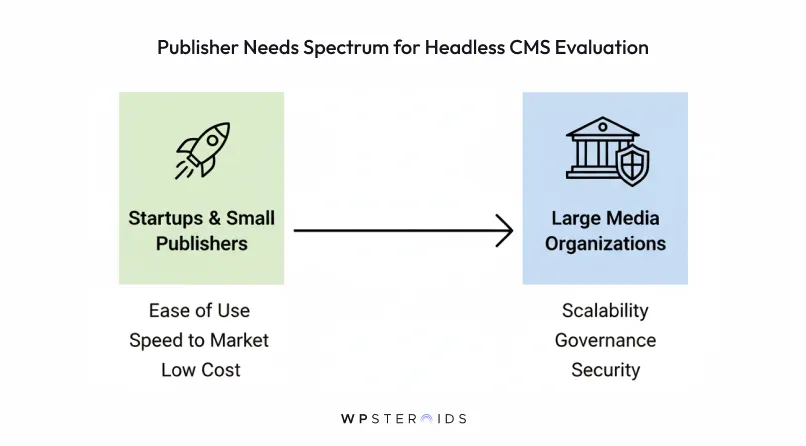
There is no single "best" headless CMS for everyone. The right platform for a small, agile blog is entirely different from the right one for a global media conglomerate. The key is to evaluate your options based on your team's specific context: your scale, your technical resources, and your workflow.
For startups and smaller publishers, the focus should be on speed, ease of use, and budget, prioritizing platforms with an intuitive editor experience and a fast time-to-market.
In contrast, large media organizations must prioritize scalability, security, and governance, looking for enterprise-grade features that can handle complex workflows across multiple brands and channels at a massive scale.
This is how you move from a long list of options to a shortlist of real contenders.
Choosing the right headless CMS requires matching a platform's strengths to your team's specific needs. Below are some of the top headless CMSs well-regarded in the publishing industry, each with a unique focus
Contentful is engineered for large-scale and enterprise publishers who require a robust, API-first platform to orchestrate complex content operations across multiple brands, regions, and channels.
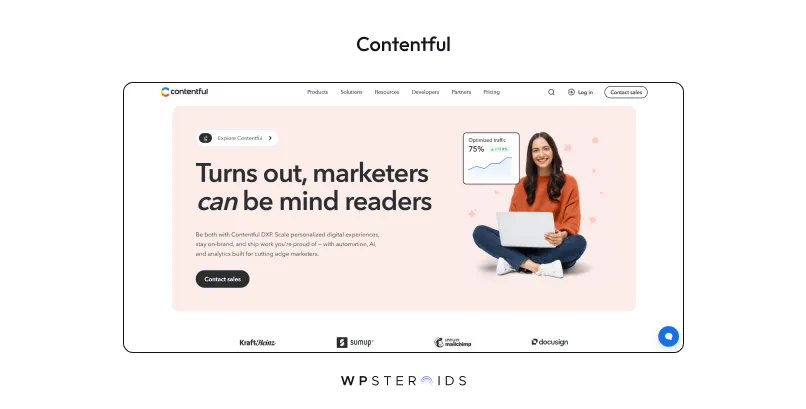 It excels in structured content modeling, allowing editorial teams to define and manage various content types, from articles to author bios, ensuring consistency and reusability. For global media companies, its localization features are critical, enabling the management of multi-language content from a single, centralized hub.
While its interface is powerful, it can be perceived as more developer-centric. However, Contentful bridges this gap with a customizable editor, secure content previews, and an app framework that allows for the creation of tailored editorial tools and workflows, empowering teams to collaborate and publish content efficiently.
Sanity is a highly flexible platform ideal for publishers who want to create a completely bespoke authoring environment and foster real-time collaboration.
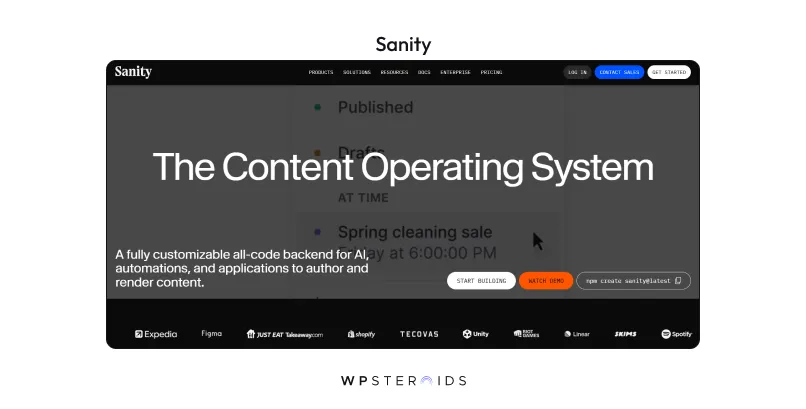
Its core strength lies in treating content as structured data, which allows for powerful and efficient content reuse across any channel. Sanity's standout feature is the Sanity Studio, an open-source, React-based editing interface that is fully customizable.
This means you can build an editor that perfectly matches your editorial team's workflow, rather than forcing them to adapt to a predefined interface. This customization extends to building tailored workflow apps, such as editorial calendars or approval dashboards, directly within the CMS.
Storyblok is the leading choice for publishers who prioritize a highly visual and intuitive editing experience, aiming to break down the barrier between content managers and developers.
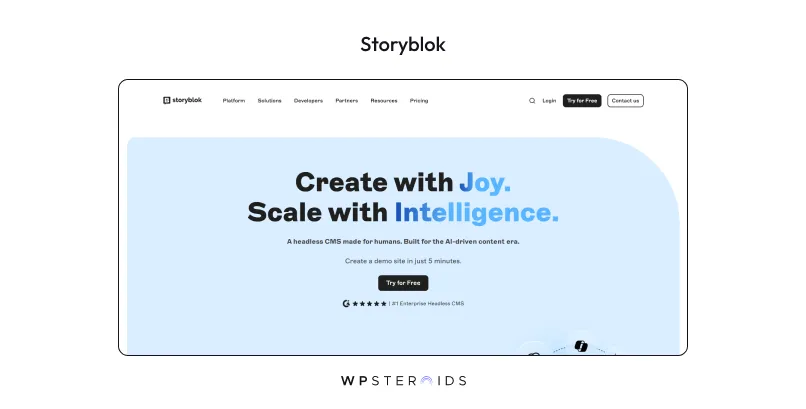
Its defining feature is the real-time visual editor, which provides a live, clickable preview of the website as content is being created or edited.
This "what you see is what you get" approach empowers editorial teams to build and modify pages with pre-designed components, giving them a high degree of autonomy and significantly increasing content velocity without needing to file developer tickets.
Strapi is the leading open-source headless CMS, making it the perfect option for publishers who desire complete control and ownership over their codebase and hosting environment.
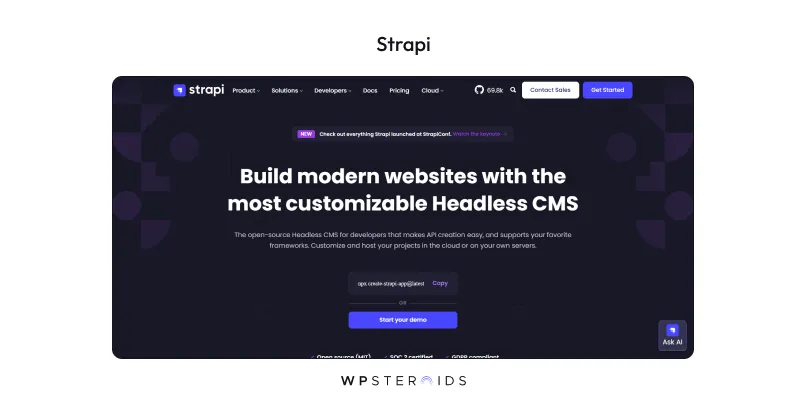
As a 100% JavaScript platform, it is highly customizable and developer-friendly, allowing it to be adapted to the most specific and demanding publishing workflows.
While you are responsible for the infrastructure, this provides the ultimate flexibility to build a content engine that perfectly aligns with your technical and operational requirements.
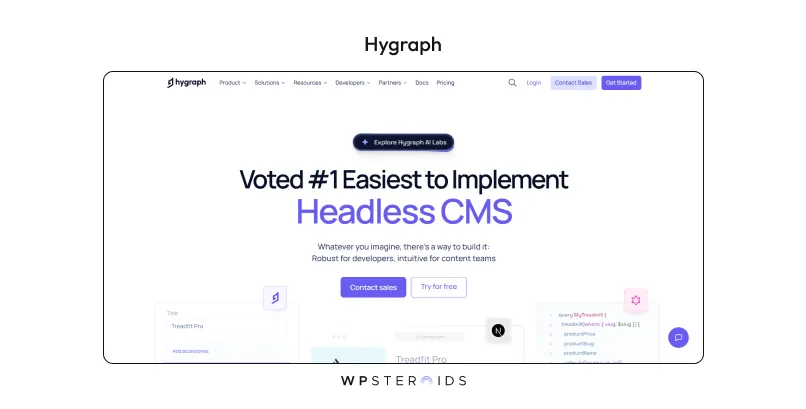
This makes it an exceptionally powerful choice for publishers with complex content models or those needing to integrate content from multiple different sources (like a legacy CMS, a PIM, or another database) into a single, unified API.
It’s built to handle intricate relationships between content, such as linking authors, publications, series, and media assets in a highly structured way. For development teams that prefer the efficiency and precision of GraphQL, Hygraph offers an unparalleled experience.
| Feature | Contentful | Sanity | Storyblok | Strapi | Hygraph |
|---|---|---|---|---|---|
| Primary Focus | Enterprise-grade, structured content for omnichannel distribution. | Developer-first platform with a fully customizable authoring experience. | Editor-friendly with a real-time visual editor and component-based model. | Open-source, self-hosted platform offering maximum flexibility and control. | GraphQL-native platform for federating complex content models from multiple sources. |
| Editor Experience | Powerful and structured, but can be technical for non-developers. | Highly customizable with real-time collaboration and visual editing previews. | Very intuitive and visual, allowing editors to see live changes as they type. | Clean, user-friendly admin panel with a straightforward editing interface. | Structured and clean, designed to manage deeply interconnected content effectively. |
| Collaboration | Supports workflow management and version control. | Real-time "multiplayer" editing, comments, and tasks. | In-engine commenting and customizable approval workflows. | Role-based access control and draft/publish system for team workflows. | Content stages, commenting features, and granular role-based permissions. |
| Content Modeling | Extremely flexible with custom content types and hierarchies. | Schema-as-code approach with Portable Text for rich, structured content. | Component-based model ("Bloks") that are reusable and nestable. | Flexible content-type builder with customizable fields and relations. | Schema-first approach with powerful support for content relations, components, and unions. |
| Best For | Large media organizations needing scalability, security, and governance. | Publishers wanting to build a bespoke editing experience tailored to their workflows. | Editorial teams that need to create and manage content with a high degree of autonomy. | Technically proficient teams who require full ownership of their tech stack. | Development teams prioritizing GraphQL and organizations with complex, distributed content. |
Choosing a new CMS is a critical decision, one that will impact your entire content operation for years to come. As we've explored, the move to a headless architecture is about more than just technology; it's a strategic shift.
The right headless CMS moves beyond being a technical tool and becomes a strategic asset—one that empowers your editorial team, accelerates your publishing timelines, and prepares your content for any future channel that comes next.
The most important takeaway should be this: to truly unlock the return on your investment, you must prioritize the editor experience and content velocity above all else. A powerful API is useless if the people creating content every day find the system confusing and restrictive.
The real win isn't just delivering content to new channels; it's increasing the speed and quality of the content you create in the first place. That is the true key to success for publishers in 2025.
By placing your editorial team at the center of the decision, you build a foundation for a more agile and future-proof tech stack.
This content-first approach is what enables the creation of high-performance front-ends, like those built on the Jamstack for news websites, and allows your CMS to serve as the flexible core of a broader digital experience platform (DXP) for media.
You stop being reactive to technology and start building a system that fuels your growth.
Ready to eliminate your content bottlenecks and scale your publishing operations? If you're tired of fighting your current system and want to empower your team with a platform built for modern publishing, it’s time to take the next step.
Book your discovery call today, and let's build a content engine that can keep up with your ambition.
Why should publishers consider a headless CMS instead of WordPress or Drupal?
A headless CMS separates your content from a single website design, enabling faster performance and the ability to send content to any channel, like mobile apps and newsletters.
What are the main benefits of using a headless CMS for digital publishing?
The key benefits are speed and flexibility. You can publish content faster with less reliance on developers, improve your site's performance and SEO, and distribute content anywhere.
Which are the most popular headless CMS platforms for publishers in 2025?
Leading SaaS platforms include Contentful, Sanity, and Storyblok. For a self-hosted, open-source option, Strapi is a very popular choice.
Which headless CMS is best for editorial teams with non-technical users?
Look for platforms that offer intuitive visual editors and reliable live previews. Storyblok and Sanity are often praised for their user-friendly authoring experiences.
Which CMS offers the best scalability for large media organizations?
Enterprise-focused platforms like Contentful and Sanity are built for massive scale, offering high-performance APIs, robust security, and guaranteed reliability with SLAs.
What features should publishers look for in a headless CMS?
Prioritize flexible content modeling, tools for collaborative editorial workflows, live content previews, and integrated SEO management features.
Does a headless CMS support multi-channel publishing?
Yes, multi-channel publishing is a core strength. It allows you to create content once and deliver it seamlessly to websites, mobile apps, email, and more.
Can publishers monetize content with a headless CMS?
Absolutely. You have the flexibility to integrate any monetization tool you choose—such as paywalls, subscription services, or ad networks—directly into your application.
How much does a headless CMS cost for publishers?
Costs vary widely. SaaS platforms can range from free to several thousand dollars a month. Open-source software is free to license, but you must pay for hosting and development.
What role does headless CMS play in omnichannel publishing strategies?
It acts as the central content hub for your entire strategy. This allows you to create content once and distribute it consistently across every platform and audience touchpoint.