Driving Digital Performance for a Digital Media Brand
Headless CMS scales and improves WPWhiteBoard’s content distribution, flexibility, and personalization
Nikhil Gandal
It’s 10:00 PM the night before a major launch. You’ve spent months obsessed with the kerning of the headers, the fluidity of the animations, and the perfect shade of slate gray.
But as you scan the staging site on your laptop, your heart sinks. The beautifully crafted hero section is falling apart on Safari, the button alignment looks like an afterthought on mobile, and that "creative soul" you poured into the project is getting lost in a mess of interaction misalignment.
If you’re a Design Lead or a Creative Director, you know this feeling all too well. It’s the "pre-launch panic", the moment you realize that the gap between your Figma file and the live code is wide enough to swallow your agency’s reputation.
It isn't just about technical stability; it is the strategic bridge between creative intent and technical execution.
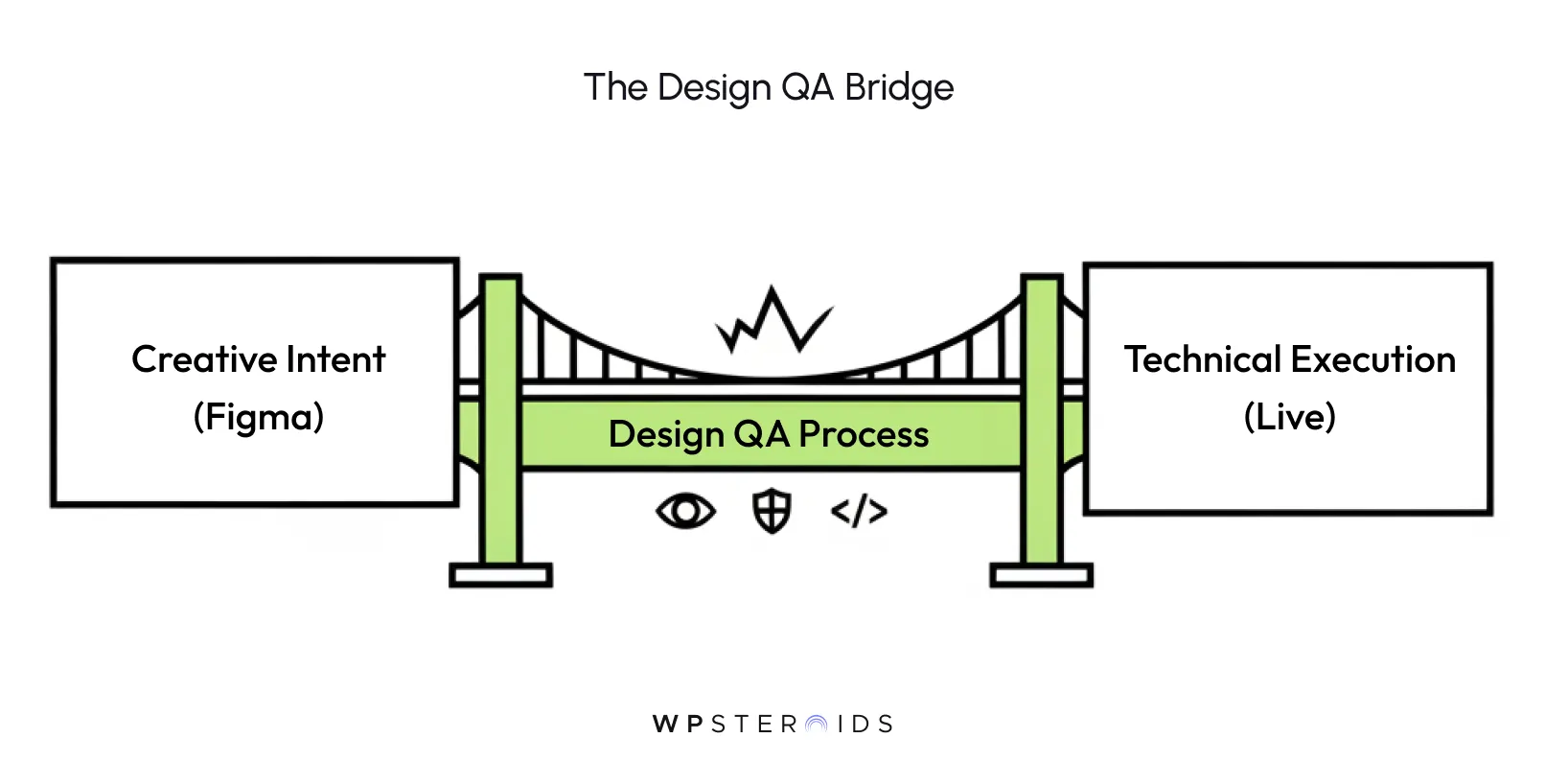
Design QA is the systematic validation of a product’s visual and interaction fidelity against its original creative intent.
The traditional design-to-development workflow often treats the design qa process as a final, manual hurdle. You, or your weary designers, spend hours manually clicking through screens, praying that the developers caught every hover state and CSS media query. This manual approach is a recipe for burnout and human error.
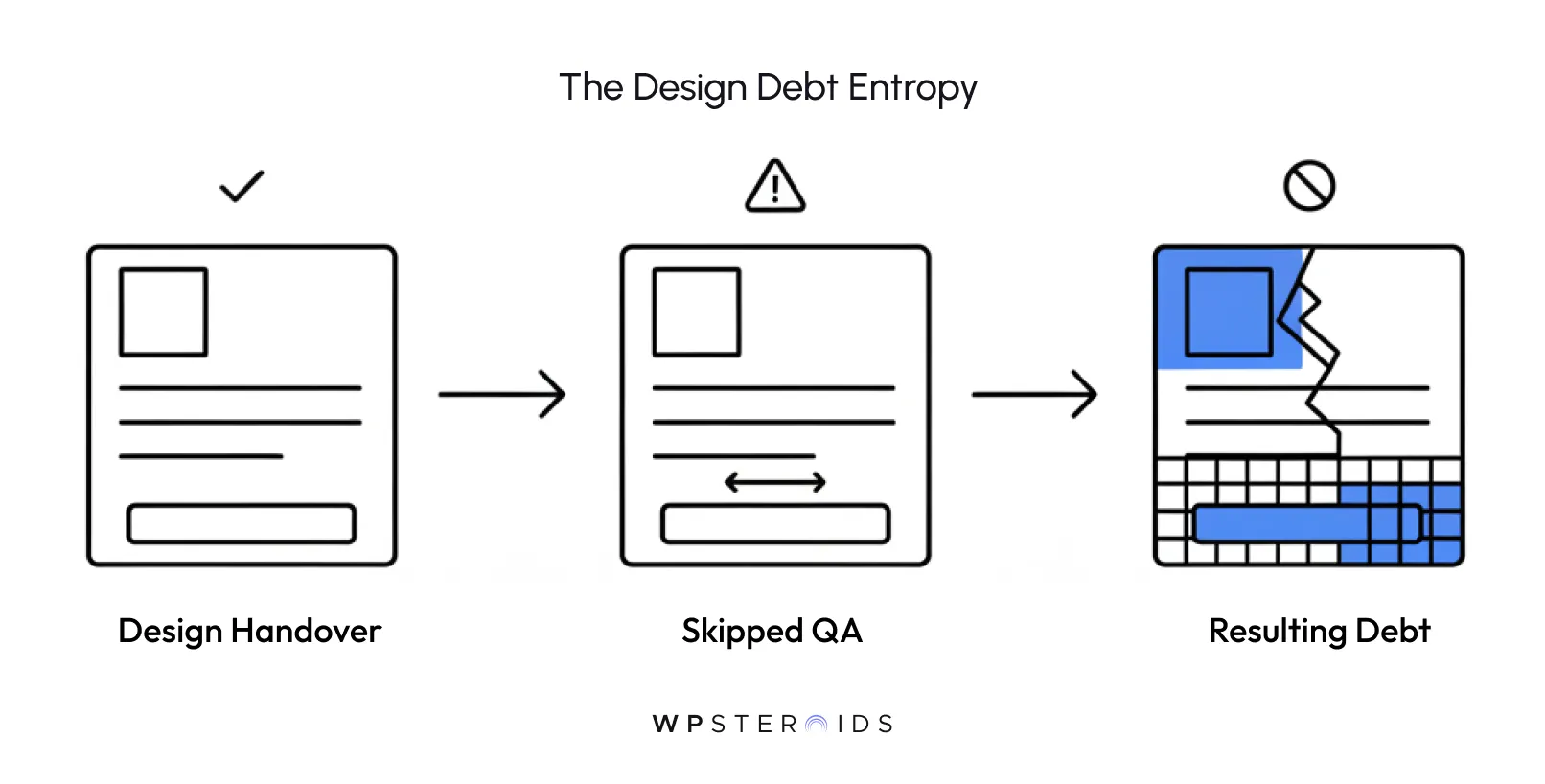
When we skip a rigorous, structured design qa, we accumulate design debt. This debt doesn't just impact the code; it tarnishes the user experience and makes your agency look amateurish to a high-paying client.
To protect your professional image, you need to move from "hoping it works" to knowing it works. We need a system that acts as a protector of the design's integrity, a way to bridge the gap between design and engineering without the 10:00 PM heart attack.
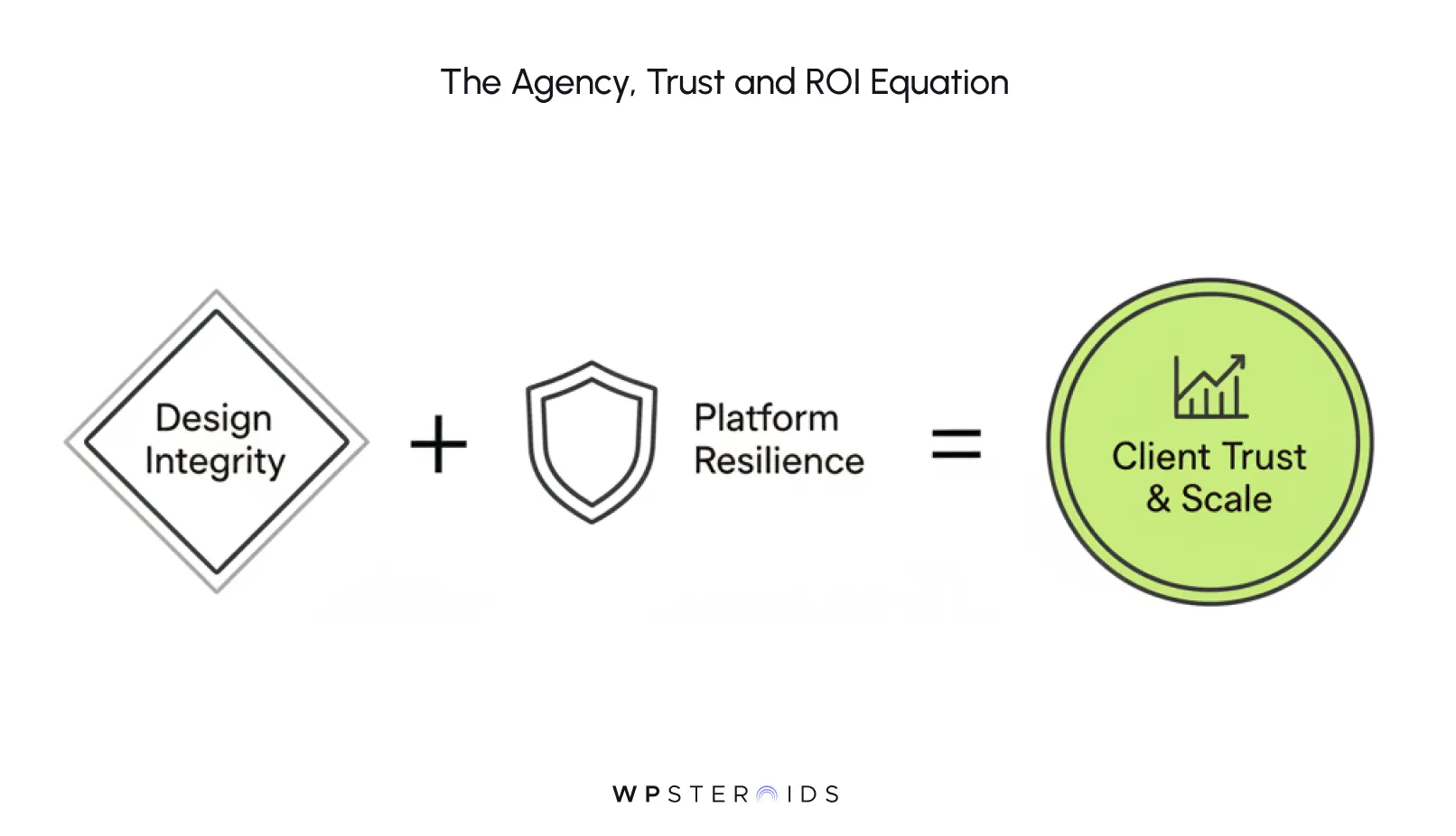
As a creative leader, you know that your agency isn’t just selling code or layouts; you are selling trust. Your clients hire you because they believe in your ability to translate their brand’s soul into a digital reality.
When the final build fails to safeguard design integrity, that trust begins to erode. In the competitive agency landscape, a bad user experience or a persistent visual inconsistency isn't just a technical bug; it’s a direct hit to your professional image.
Every time a user encounters a misaligned button or a font that doesn't follow the adherence brand guideline, their confidence in the product, and your client's brand, wavers.
Your work is judged on how the product feel resonates with the end-user. If the experience is jarring because the development didn’t quite match the design, the user doesn't blame the CSS; they simply feel that the product is "off."
Rigorous Design QA ensures that every interaction feels intentional. By making sure the "look and feel" is consistent across every touchpoint, you validate your client’s investment and prove that your agency possesses the attention to detail required for world-class digital products.
We often talk about technical debt, but design debt is just as dangerous. When you skip a formal visual audit to hit a sprint deadline, you aren't actually saving time; you are just deferring a crisis.
These small discrepancies, a slightly off-center logo here, a mismatched hover state there, accumulate. Eventually, the product becomes a "Frankenstein" version of your original vision, making it harder and more expensive to fix down the line.
To visualize why this matters, let's look at it through a different lens:
The Analogy: Professional Liability Insurance:
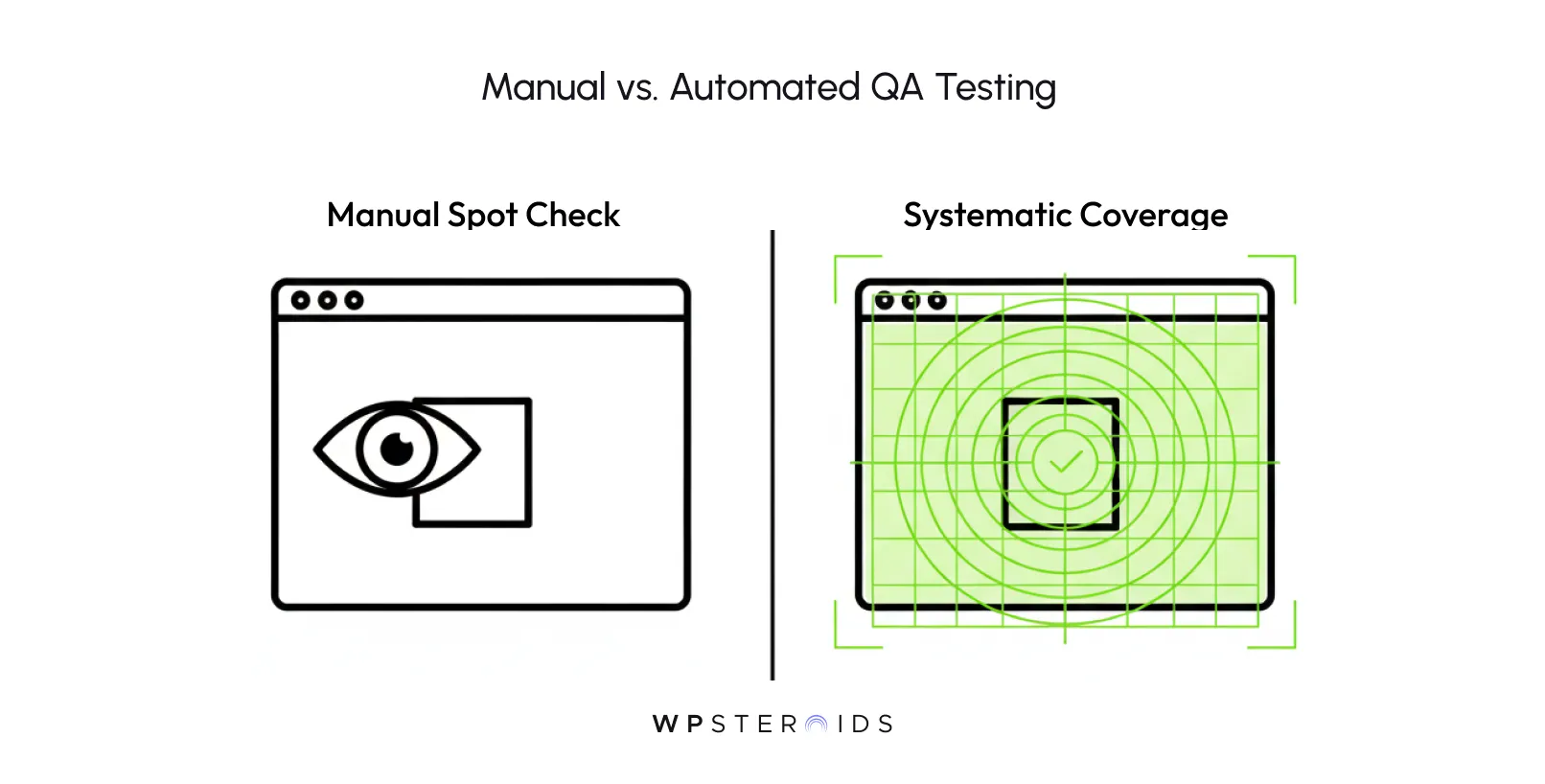
Design QA with cross-browser automation is like your agency’s professional liability insurance. Manual checks are your basic due diligence; they cover the obvious, visible risks.
By treating QA as a strategic safeguard rather than a last-minute chore, you protect your team's hard work from being undermined by technical entropy. You move from a reactive state of "fixing things" to a proactive state of excellence.
But for a high-performing agency, neither extreme works. Your design-to-development workflow is too nuanced for a purely mechanical approach, and your creative team is too valuable to spend their time hunting for pixel shifts.
The goal of a modern design qa bridge gap is not to replace human eyes, but to liberate them. When you try to automate every single visual check, you often end up with "flaky" scripts that break the moment you change a margin.
This creates more maintenance work, leading back to the very burnout we are trying to avoid. True quality standards aren't just about meeting code specs; they are about maintaining the emotional resonance of the design.
The smartest agencies in 2025 are adopting a more pragmatic, high-leverage strategy. We are moving toward a workflow that balances digital precision with creative judgment.
A Fresh Perspective: The 2025 Hybrid Approach
While full-scale automation dominates the conversation, the gold standard for agency excellence is now a balanced hybrid approach.
Automation handles the repetitive, heavy lifting, scanning for broken layouts and regression errors, while human testers focus on "exploratory validation."
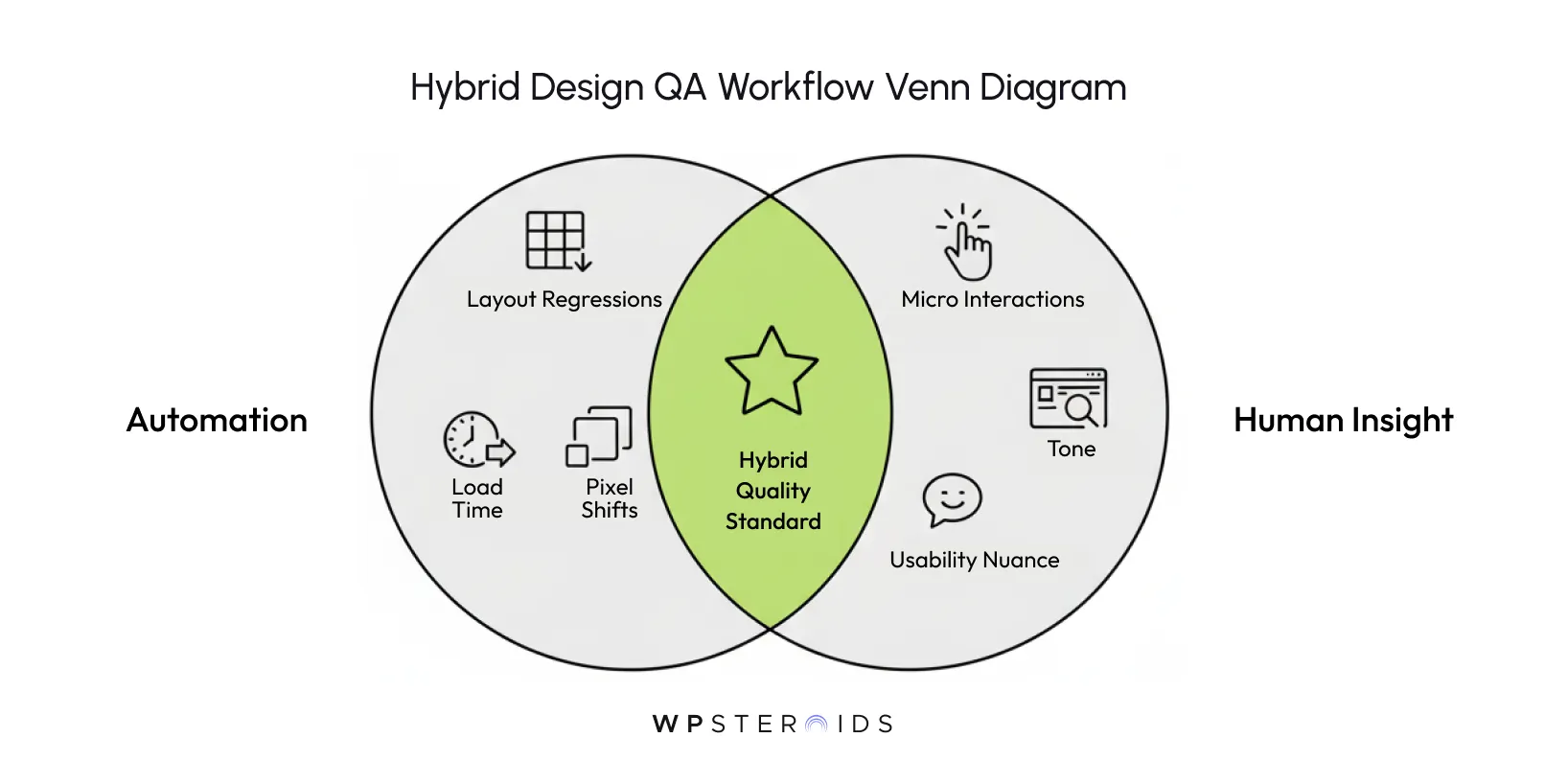
This is where manual testing shines: evaluating the nuance of UI/UX judgment where scripts fall short. By blending human insight with automated speed, you avoid the overhead of high-maintenance scripts while ensuring the product actually feels right.
When you implement this hybrid design ui testing strategy, you allow your QA engineers and designers to do what they do best: provide the creative oversight that a machine can’t replicate.
This balance gives you the best of both worlds: the speed to meet sprint deadlines and the human touch that ensures the final product is a masterpiece, not just a bug-free build.
We are living in an era where "good enough" is a dangerous business strategy. For agencies, the technical reliability of a design has transitioned from a backend concern to a boardroom priority.
If you want to position your agency as a high-tier partner, you must speak the language of risk and reliability that your clients’ executives are now speaking.
In years past, visual bugs were seen as "glitches." Today, they are viewed as systemic failures. As enterprises integrate more complex platform strategies, the stakes for digital stability have never been higher.
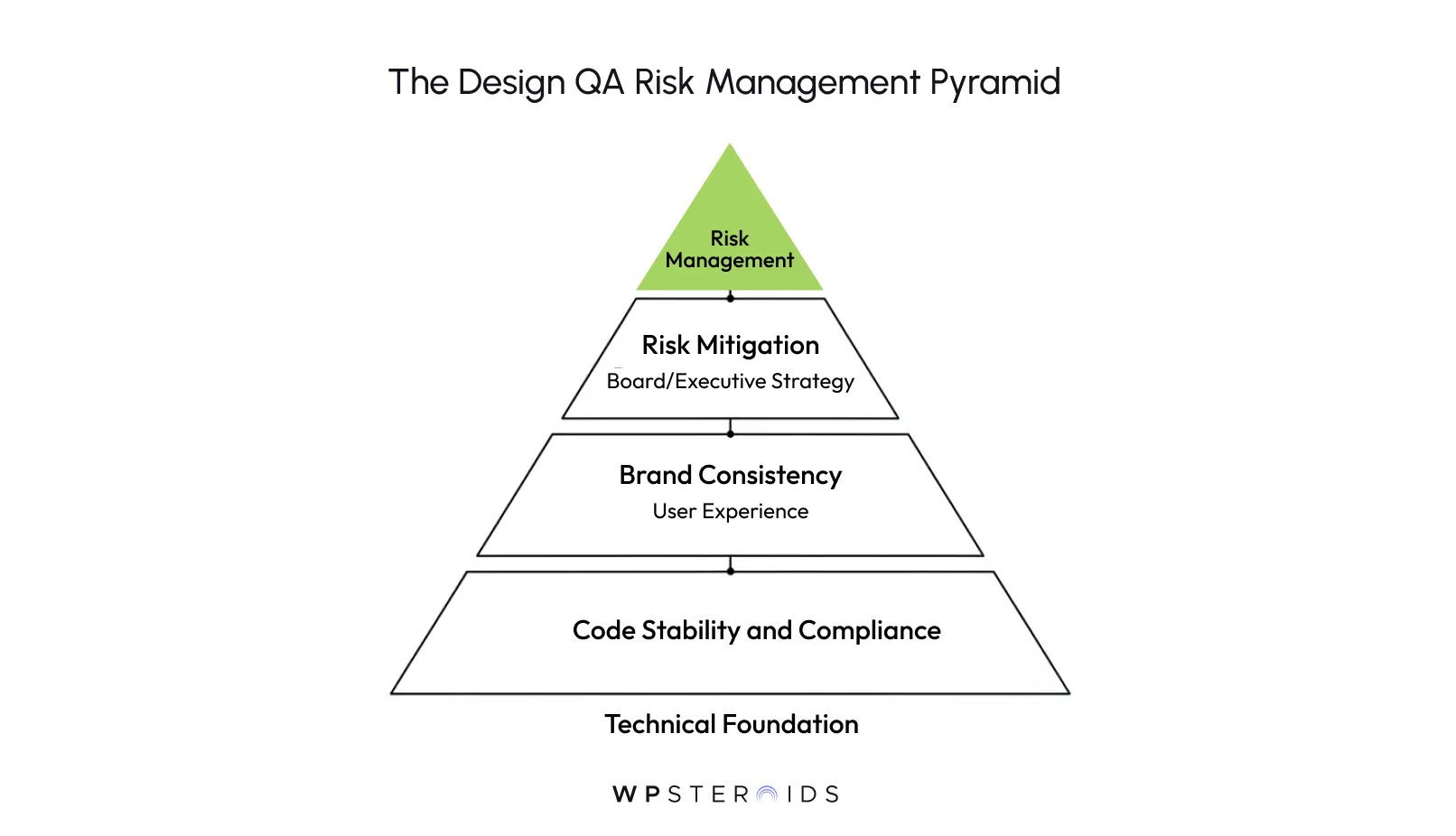
When you conduct a design QA process using modern automation, you aren’t just checking pixels; you are mitigating a client's business risk. You are showing them that you respect their need for a stable, resilient platform that protects their brand equity at every level.
To make this transition, you need more than just a folder of screenshots; you need a robust design QA automation framework. The goal is to create a "set it and forget it" layer of protection that catches regression issues before they reach a human reviewer.
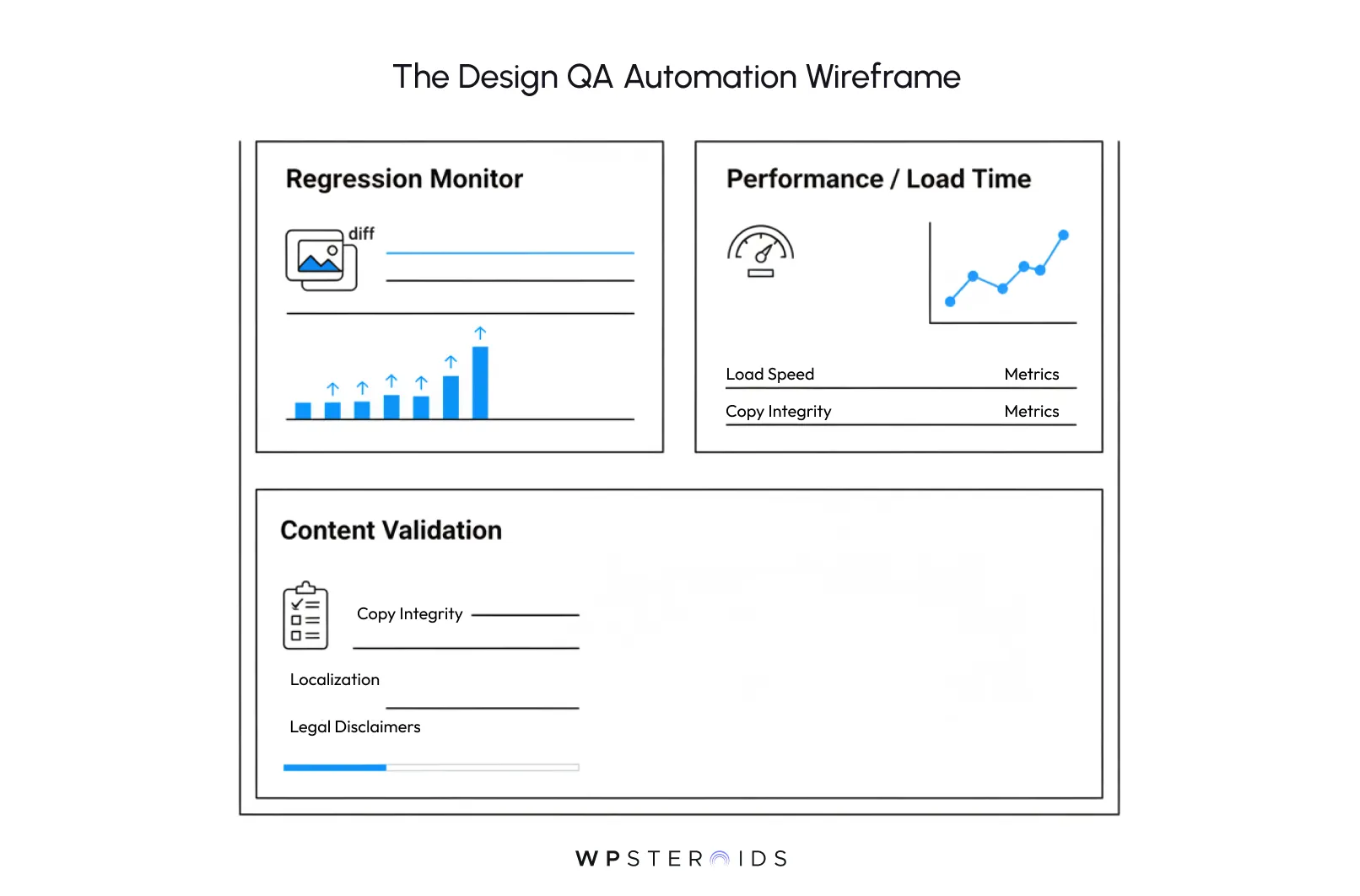
By choosing the right automation tools, you take the "heavy lifting" off your team’s plate. You transform a tedious task into a high-leverage system that protects your professional image while your team focuses on high-level creative problem-solving.
In your studio’s portfolio, every screenshot looks immaculate. But your reputation doesn't live in a static JPEG; it lives in the messy, fragmented reality of the user’s device.
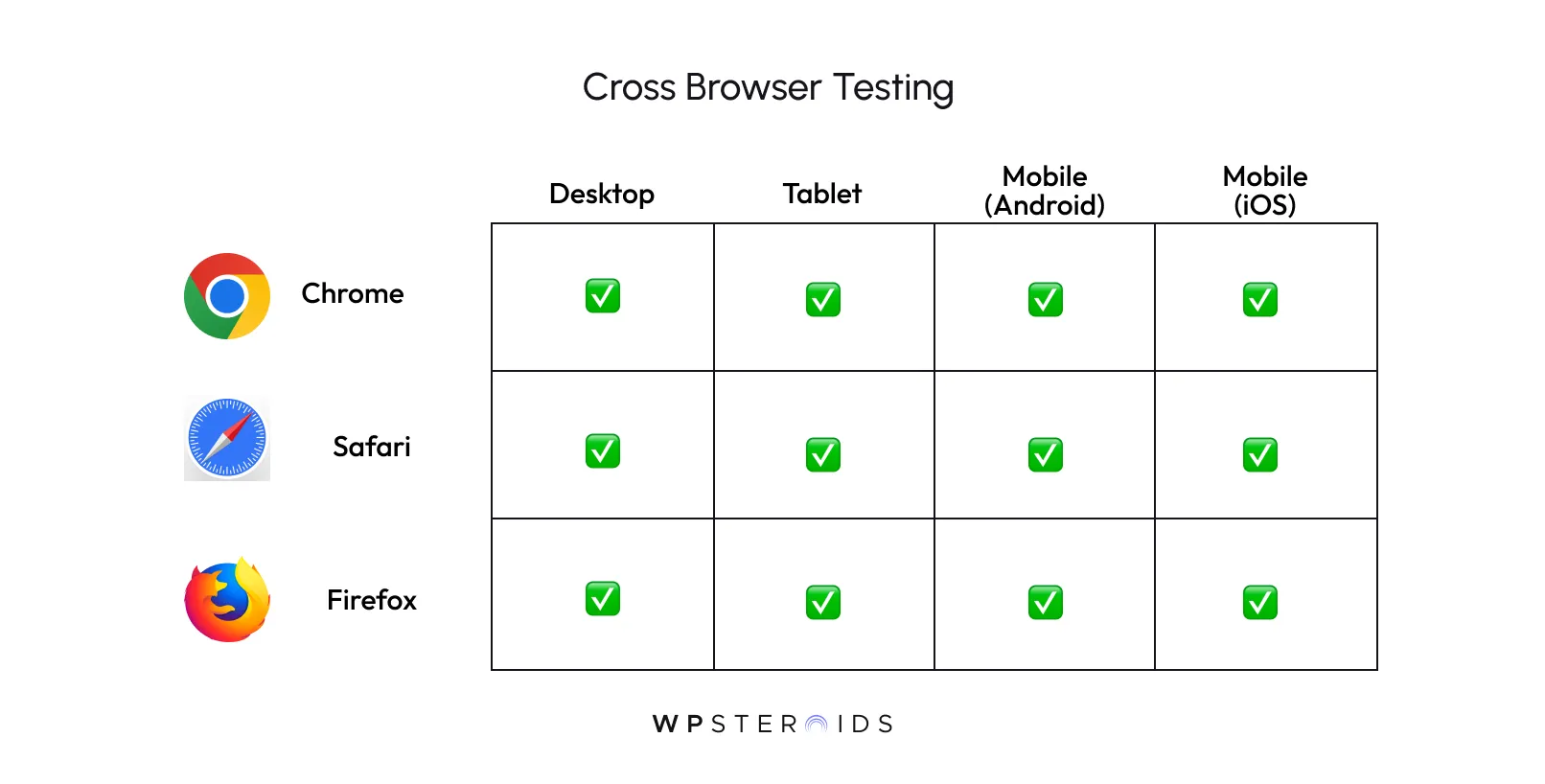
Whether your client is checking the latest build on a three-year-old iPad during a commute or an outdated version of Safari at their corporate office, your design must hold firm.
This is where cross-browser testing moves from a technical line item to the ultimate protector of your agency's craftsmanship.
We’ve all been there: a site looks flawless on a 27-inch Retina display, but the moment it’s opened on a mid-range Android device, the navigation overlaps and the "pixel-perfection" disappears.
For a Design Lead, this is the ultimate red flag. In 2025, responsive and mobile compatibility isn't an "add-on"; it is the baseline for professional credibility.
When you can confidently tell a client that their site is accessible on all devices, you aren’t just giving them a URL; you are giving them the peace of mind that their brand is safe in any user's hands.
There is nothing quite as soul-crushing as a client sending a screenshot of a broken layout that you missed.
Often, these aren't logic errors; they are browser compatibility quirks, things like media queries to specific viewport heights that behave differently in Chrome than in Firefox, or hover states that accidentally trigger on touchscreens.
A robust design QA strategy uses automation to scan these environments simultaneously. It catches the "common flaws", the text overflows, the z-index mishaps, and the broken flexbox containers, before they ever reach the client's inbox.
This proactive approach transforms you from a team that "fixes bugs" into a team that "delivers excellence."
During the design ui testing phase, you aren't just looking at colors and fonts; you are verifying that the interactive elements are keyboard-navigable and that screen readers can parse your layout correctly.
By integrating accessibility checks into your cross-browser routine, you protect your client from legal risks while reinforcing your agency’s status as a standard-bearer for inclusive, high-quality digital design.
You aren't just making things pretty; you are making them universally functional.
The most significant friction point in any agency isn’t a lack of talent; it’s the gap in translation. Designers speak in terms of emotional resonance and visual rhythm, while engineers speak in terms of logic and scalability.
When these two worlds don't have a shared language, the "creative soul" of the project is usually the first casualty. This is where quality assurance design becomes the ultimate peacemaker.
We’ve all seen it: a beautiful prototype that transitions seamlessly in Figma but feels "clunky" or abrupt in the final build.
This interaction misalignment occurs when the subtle details, the specific timing of a transition, the way hover states behave quietly in the background, or the tension in a spring animation, are lost in translation.
When a designer says, "This button doesn't feel right," and a developer explains the CSS limitation, they can work together to find a middle ground that maintains the design integrity without sacrificing performance.
One of the most effective ways to eliminate the "us vs. them" mentality is to implement a unified visual feedback system.
Instead of sending cryptic Slack messages or long emails with attached screenshots, world-class agencies use tools that allow team members to leave comments directly on the live staging site.
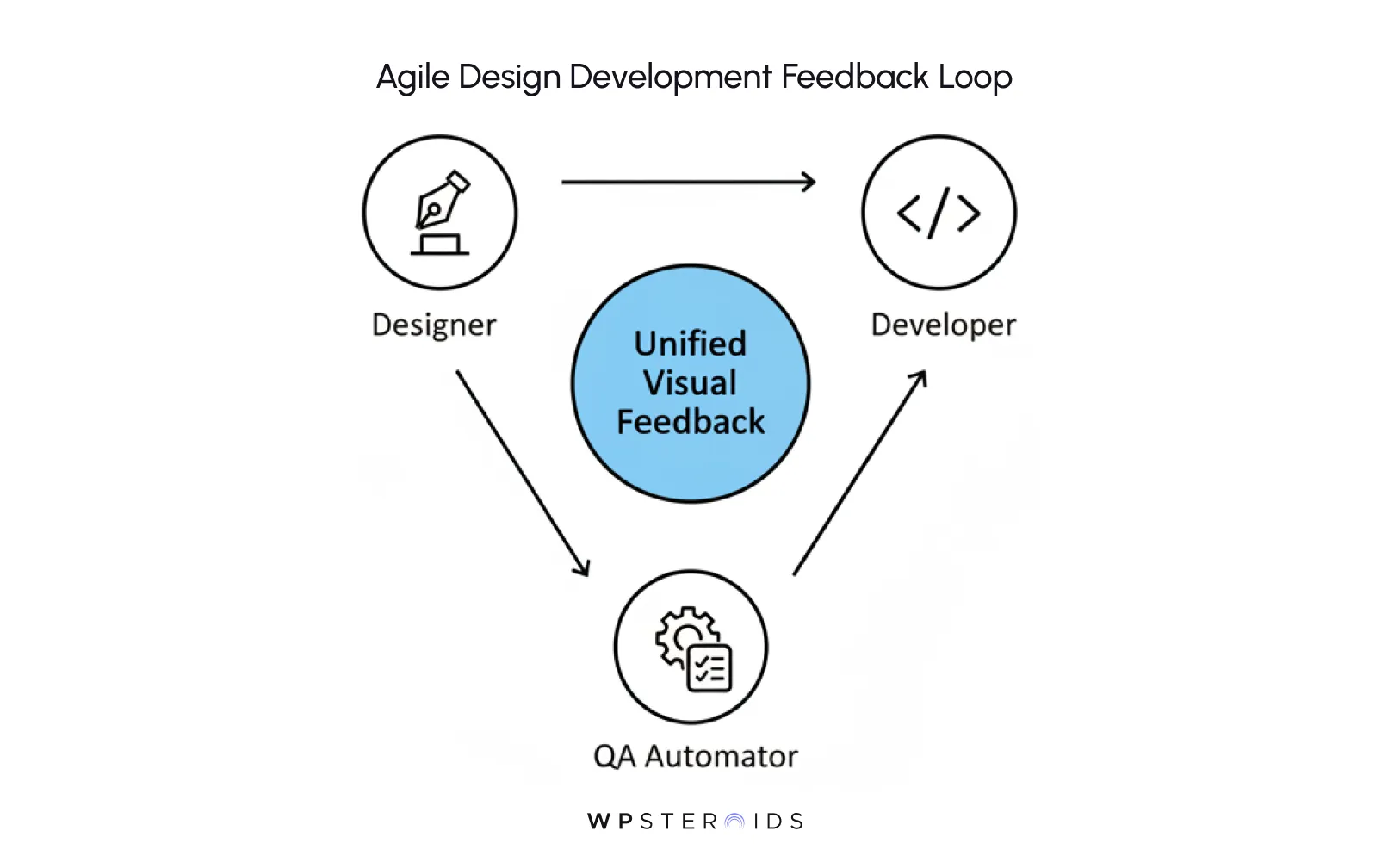
This creates a transparent environment where everyone can see:
By fostering this shared ownership, you don't just find bugs... you cultivate a culture of excellence. Your team stops seeing QA as a "policing" phase and begins to see it as a "polishing" phase, ensuring that the final output is something everyone can stand behind with total professional pride.
What is the role of human testers in an automated design QA process?
As we’ve discussed in our hybrid perspective, automation is the "what," but humans are the "why." In a high-leverage design ui testing environment, automation handles the binary checks: Is the hex code correct? Is the margin 20px? Does the font load?
The role of design QA for humans—specifically for your qa professionals and designers—is to assess the intangible. Human testers are there to ensure the product feels right. They check for the emotional rhythm of an interaction and the subtle ways a design responds to user intent. Automation finds the errors; human eyes find the excellence.
Is QA Automation realistic for small agency budgets?
It’s a common misconception that qa automation is a luxury for Silicon Valley behemoths. In reality, automation is a force multiplier for smaller teams. Think about the billable hours your team currently wastes on manual, repetitive check visuals and fixing "ghost bugs" that only appear on one specific browser version.
While there is an initial setup cost, a custom design qa template and automated framework quickly pay for themselves by reducing design debt. It allows a small team to perform like a much larger one, giving you the ability to promise—and deliver—enterprise-level reliability without burning out your best talent.
How does QA improve long-term user experience (UX)?
We often think of QA as a "point-in-time" activity, but its impact on ux design is generational. When you consistently match the design, build after build, you create a standard of quality that becomes part of the product’s DNA.
By using a web design qa checklist that prioritizes both visual precision and technical performance, you ensure a great user experience that doesn’t degrade over time. This long-term stability is what turns a one-off project into a multi-year partnership. Your clients stop seeing you as a vendor and start seeing you as a guardian of their digital brand.
Investing in these systems doesn't just make the current project better—it builds the roadmap design qa needs to protect your agency’s future. It gives you the confidence to stand behind your work, knowing that every pixel is exactly where you intended it to be.