Driving Digital Performance for a Digital Media Brand
Headless CMS scales and improves WPWhiteBoard’s content distribution, flexibility, and personalization
Ankita Deb
You’ve been here before. You and your team just poured weeks of passion, strategy, and skill into a pixel-perfect design system.
The user experience is intuitive, the components are elegant, and the vision is set to transform your client's digital presence. Then, the handoff happens.
The beautiful, dynamic experience you designed gets fed into their clunky, outdated Content Management System, and you watch it break.
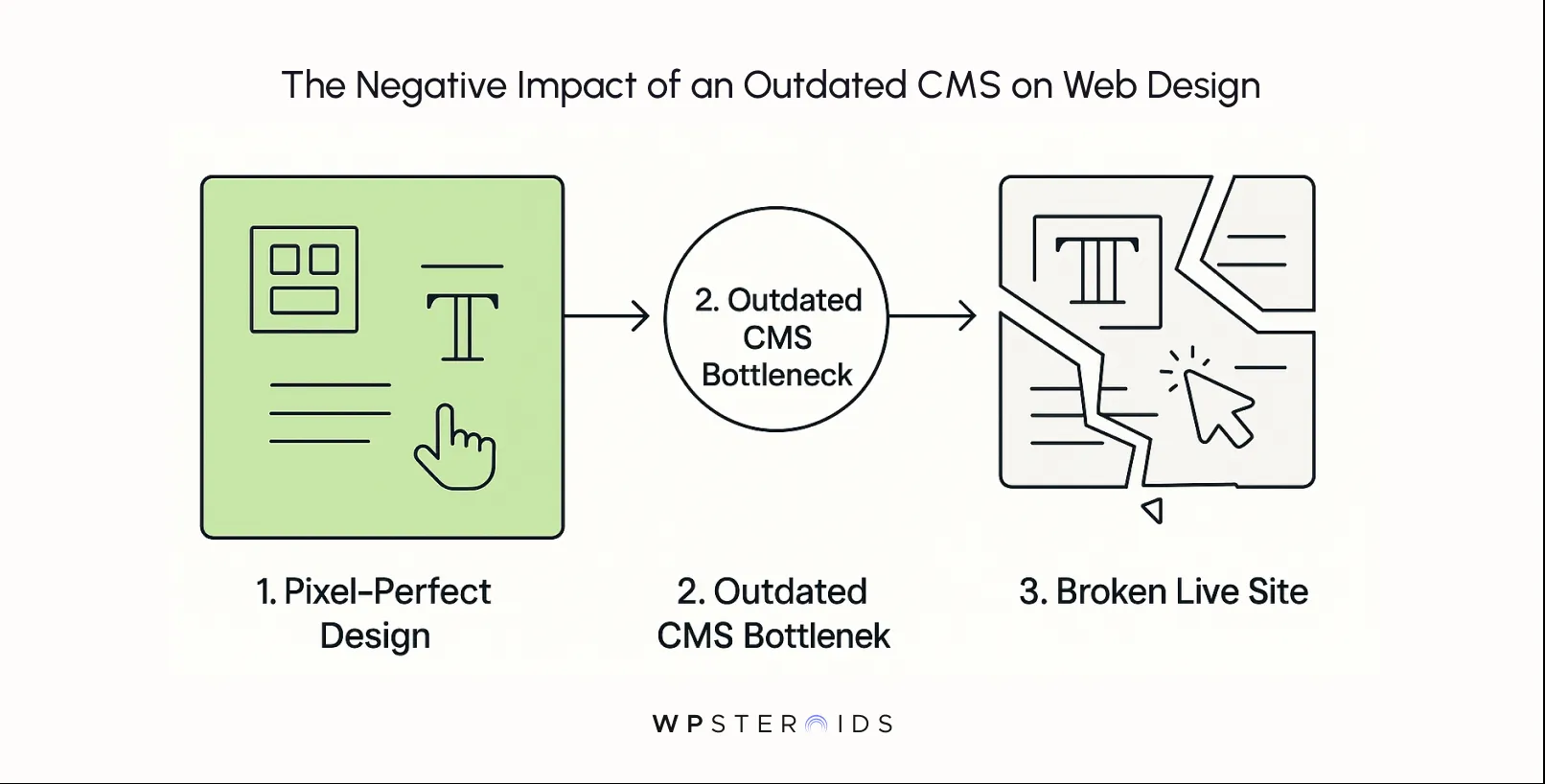
The typography is rendered incorrectly, the spacing is off, and that interactive module you fought for is now a static, lifeless box. You’re told, "The CMS can't do that."
It’s a frustrating cycle, and you’re right to feel that something is fundamentally wrong. This isn't just a technical hiccup; it's a bottleneck that's actively sabotaging your work and the client's success.
An outdated CMS directly limits design implementation, creating brand inconsistencies, poor user experiences, and significant revenue loss.
This isn't another technical guide filled with jargon. This is your playbook.
It's time to stop letting a rigid CMS hold your team back and prevent you from growing your business. It's time to build your vision on a platform that can finally bring it to life on your website, without compromise.
For too long, the conversation around a client’s content management system has been confined to the IT department. It’s been framed as a problem of slow code, security patches, and server maintenance. But you know the truth: the consequences are felt most acutely by your creative team.
The problem isn't just technical; it's the slow, soul-crushing compromise of your creative process.
Design debt is the same principle applied to your creative work. Every time you're forced to create a workaround because of CMS limitations—every time you simplify a layout, scrap an interaction, or use an off-brand component because "the system can't handle it"—you are accumulating design debt.
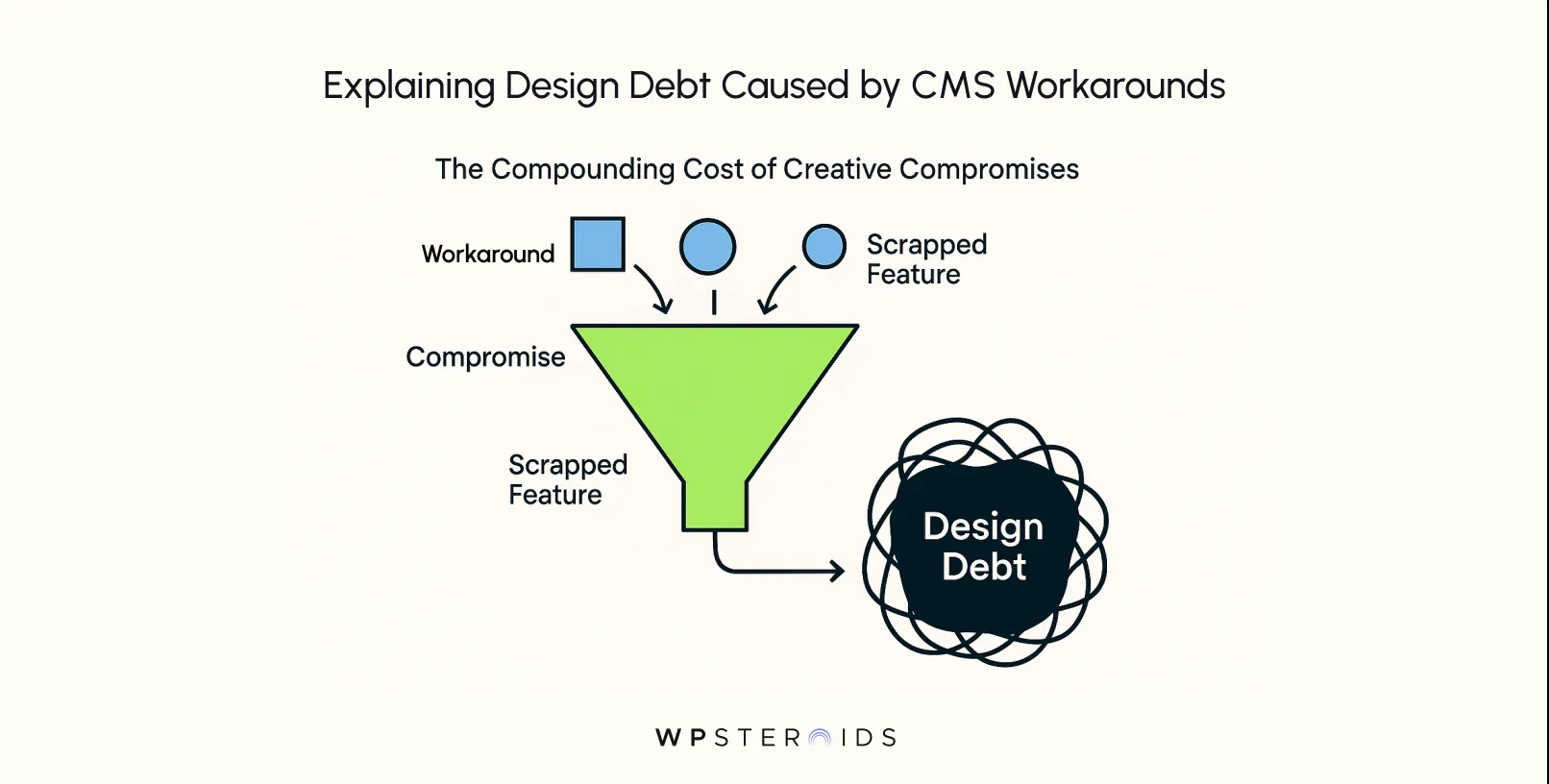
While most articles focus on the financial cost of legacy CMS platforms, this creative cost is far more damaging.
As a recent editorial in Smashing Magazine puts it, the creative cost of outdated CMSs is greater than the financial one.
The piece argues that designers are forced to work within invisible walls, and "each workaround adds to ‘design debt,’ just as developers accrue ‘technical debt.’ Over time, this compounds leading to inconsistent aesthetics and slower creative innovation."
These aren't one-off frustrations; they are systemic flaws that lead to significant operational inefficiencies.
If your CMS is a system that can't support your design system's components, or a CMS that can't allow for flexible content modules, you are paying a daily tax on your team's creativity.
The interest on that debt is a fragmented user experience, a diluted brand, and a team of brilliant creatives who feel like their best work never sees the light of day.
So, if an outdated CMS is the source of so much friction, what does the alternative look like? How should a modern content management system function? In short, it should be an enabler, not a blocker.
Its primary job is to empower your creative team to do its best work, not to dictate the limits of what’s possible.
The best way to think about this is with an analogy.
Think of your CMS like the stage crew for a theatre production. The designers and creatives create the show—the visuals, the story, and the flow.
But if the crew can’t change set pieces quickly, handle lighting cues, or coordinate props, even the best script and direction fall flat.
A limited CMS is that clumsy crew—it’s invisible to the audience, but it determines whether your performance (your design) dazzles or drags.
A modern CMS is the expert, unseen stage crew. It works quietly and efficiently behind the scenes to make your design performance flawless.
It gives your content creators flexible, reusable components—like well-designed set pieces—that can be arranged and rearranged to tell compelling stories.
It ensures every lighting cue (animation and interaction) fires perfectly. It makes quick changes between scenes (publishing new campaign pages) effortless.
Conversely, an outdated system is a struggling, under-equipped crew. Every scene change is a clunky, manual struggle.
They can’t find the right props (assets), the lighting board is broken (interactive elements fail), and the curtain gets stuck (the site crashes).
You, the director, are forced to simplify the show not because your vision is flawed, but because your crew can’t keep up.
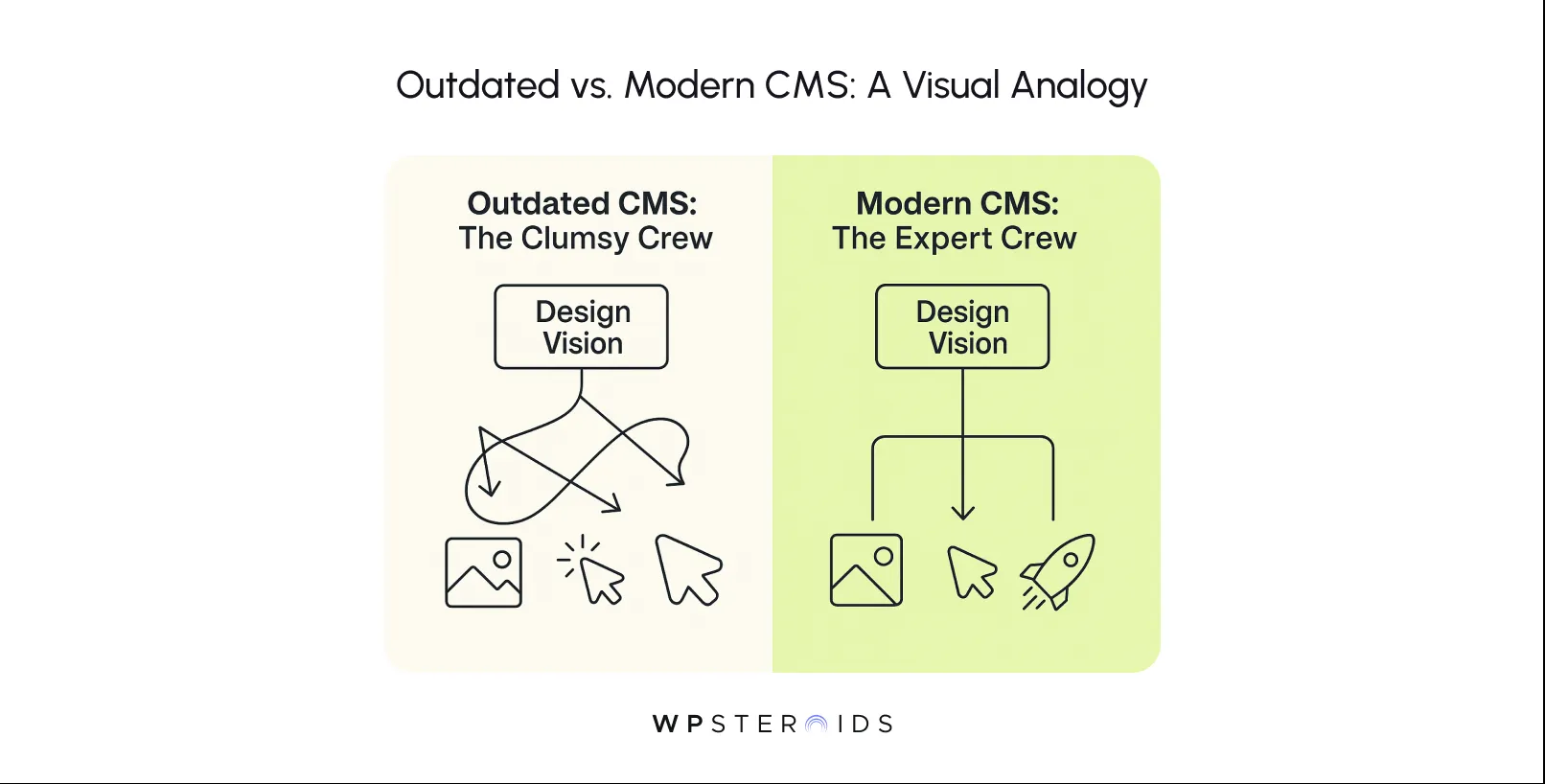
A strong content management system should feel like a partnership. It’s the powerful, flexible foundation that allows your design to shine, adapt, and evolve.
When the content management is handled seamlessly, your team is free to focus on what it does best: creating exceptional experiences.
When a client’s CMS is failing, the symptoms aren't just buried in code; they are visible in plain sight.
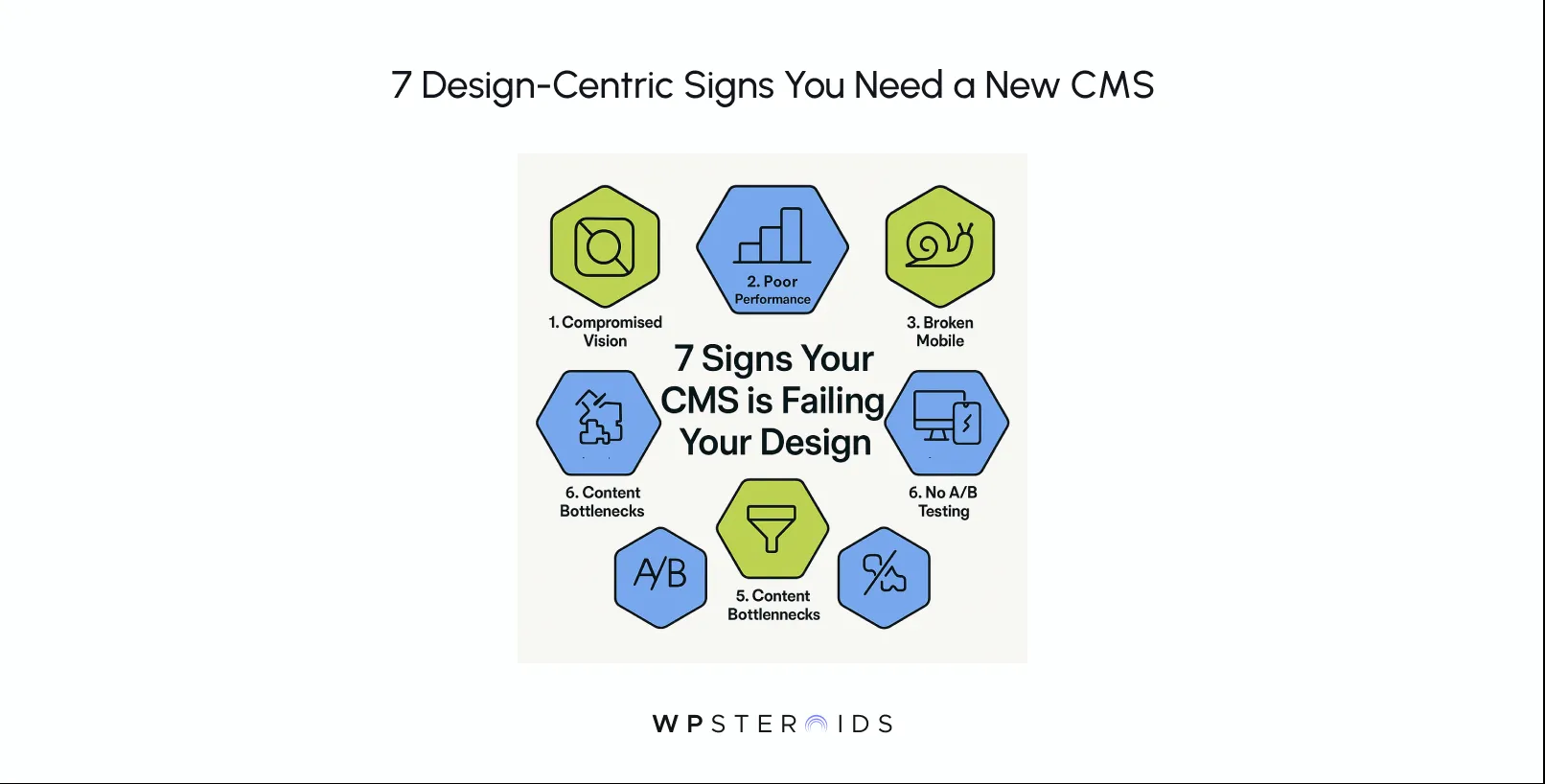
They show up as compromises in your designs, friction in your workflows, and frustration for your team.
Here is the design-centric checklist you need to diagnose if it's time to upgrade your client's CMS.
This is the most personal and painful sign. It’s the meeting where you present a dynamic, engaging user experience, only to be told, "We'll have to simplify that for the CMS."
It’s the realization that you’re no longer designing for the user; you’re designing around the limitations of a legacy system.
Ask yourself: Are your designers constantly forced to dumb down layouts, remove subtle animations, or default to rigid, templated boxes because the CMS can’t handle anything else?
If the answer is yes, your client's technology is actively devaluing your team's strategic and creative work. Your CMS should be a canvas, not a cage.
You delivered a meticulous design system with precise rules for typography, spacing, color, and responsive behavior. Yet, when you review the live site, it’s a mess.
Headlines are the wrong weight, margins are inconsistent from one page to the next, and the mobile breakpoints feel arbitrary and broken.
This isn’t your team’s failure; it's a classic symptom of a rigid CMS that wasn't built to support a component-based design philosophy.
If content editors are creating pages by overriding styles or using clunky WYSIWYG editors, brand consistency becomes impossible.
You're not alone in this fight. In its 2024 State of CMS Report, Storyblok found that 61% of companies struggle to deliver consistent brand experiences, specifically due to their CMS limitations.
The data proves it: an outdated CMS is a primary driver of brand fragmentation.
All the elegant micro-interactions and smooth page transitions you designed mean nothing if the website is painfully slow.
Legacy CMS platforms are often bloated, relying on outdated plugins, inefficient code, and excessive client-side JavaScript that grinds the user experience to a halt.
This directly impacts your design's perceived quality. A slow load time makes the site feel broken and unprofessional, no matter how good it looks.
If pages lag and interactions stutter, the blame falls on the user experience, even when the root cause is the CMS.
Their approach to mobile is often an afterthought—squishing desktop content into a single column, breaking layouts, and making navigation a nightmare.
If your team spends an excessive amount of time creating custom fixes just to make the site functional on a phone, or if the CMS doesn't support the reusable, responsive components defined in your design system, it's holding the business back.
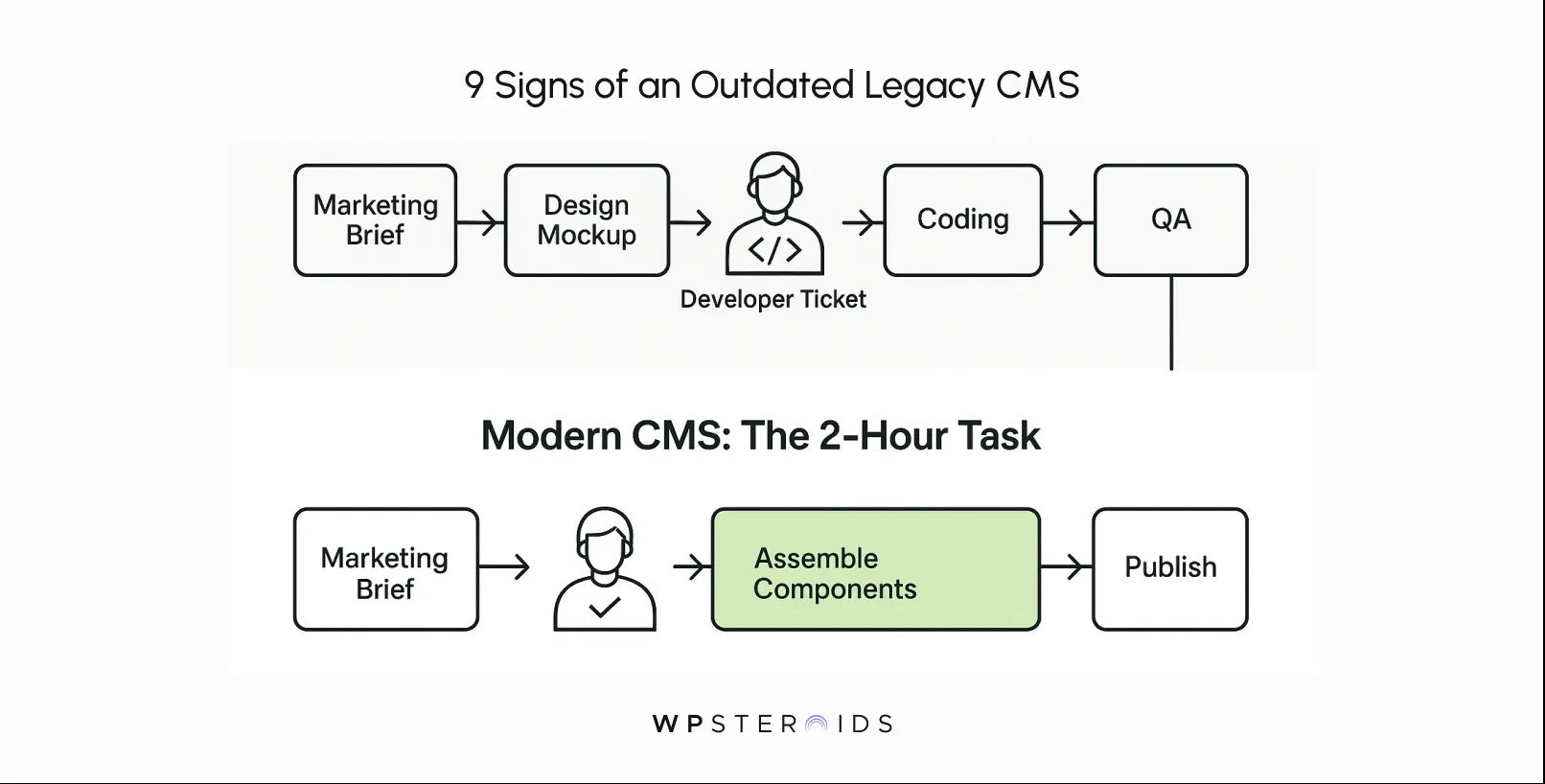
A key goal of your design is to empower the client's marketing team to create compelling, on-brand content. But what happens when publishing a simple landing page or updating a hero image requires a developer and a two-week sprint?
This is a massive red flag. When marketers can't launch campaigns on time because the CMS is too complex or rigid, the business loses revenue.
If they can’t easily create new pages using pre-designed content types and components, they will inevitably resort to off-brand, hard-coded workarounds that accumulate more design debt.
Great design doesn’t stop at launch; it evolves. The ability to test different headlines, calls-to-action, and layouts is critical for optimizing the user journey and proving the value of your work.
But if your CMS can't support A/B testing or integrate with modern optimization tools, your designs are stuck.
You're forced to rely on guesswork instead of data.
This prevents you from improving conversion rates and demonstrating a clear ROI for your design efforts, trapping both you and your client in a cycle of static, underperforming experiences.
Many legacy cms platforms are monolithic, closed-off systems that make these integrations difficult, expensive, or completely impossible.
If the CMS can’t talk to the rest of the client's tech stack, you can’t create the seamless, personalized experiences that modern users expect.
For teams looking at more advanced solutions, the lack of a headless CMS architecture becomes a major blocker to innovation. This is a clear sign that the platform is not just outdated, but obsolete.
At this point, you might be nodding along, recognizing every sign of a failing CMS. But you also know the biggest hurdle is coming: the client’s concern about cost.
An upgrade sounds expensive, and the path of least resistance is often to keep patching the old system.
This is where you must reframe the conversation. The choice isn’t between spending money and saving money.
It's between making a smart investment in growth and continuing to pay the high, hidden costs of inefficiency. It's time to evaluate cms options not as an expense, but as a strategic business decision.
The truth is, your client is already paying exorbitant monthly maintenance costs, but they just aren't itemized on a single invoice.
The real cost of inaction is spread across multiple departments and buried in lost opportunities.
Let’s break down the true cost of sticking with an outdated CMS:
When you present it this way, the decision to upgrade your cms becomes a clear-cut business case.
You aren't just pitching a new piece of software; you're offering a solution to stop the financial bleeding and unlock the very growth the client hired you to create.
You've connected the dots internally, but now you need to convince your client. Vague complaints about a "clunky system" won't be enough.
To get buy-in for an upgrade, you have to translate your design frustrations into the language of business outcomes: leads, conversions, and revenue.
You need to present a clear, evidence-based case that proves the current CMS isn't just an inconvenience; it's an active barrier to achieving their most important goals.
Here’s a four-step plan to build your argument.
Your first step is to gather concrete evidence. This isn’t just for developers. A design-led audit focuses on the user experience and the content workflow. Start documenting every point of friction:
With your evidence in hand, connect each problem to a specific business consequence. This is where you translate pain points into financial impact.
Now, consolidate your findings into a clear, concise presentation. This is where you list the concrete reasons to upgrade your cms.
Start with the business goal, then present the evidence showing how the CMS is blocking it.
Use the data from your audit—the screenshots, the analytics, the workflow timings. This moves the conversation from "we feel this is clunky" to "the data shows this is costing us money."
Conclude by reframing the entire project. This isn't about incurring a cost; it's about investing to protect your brand and unlock future growth. An upgrade isn't just about fixing what's broken.
It's about enabling the business to be more agile, to launch campaigns faster, and to deliver the world-class experience customers expect.
Explain that choosing the right cms is one of the most important strategic decisions they can make for their digital future, and investing in modern cms services is the first step toward that goal.
The signs of an outdated CMS are no longer hidden in obscure technical jargon. When you view them through the lens of your design work, they become glaringly obvious. The constant creative compromises,
The unavoidable brand inconsistency, the sluggish performance—you can now see them for what they truly are: significant business liabilities that are actively costing your client money every day.
For too long, your team's incredible potential has been held hostage by the limitations of a client's legacy technology.
But advocating for this change is about more than just making your job easier; it’s about advocating for better design, delivering a superior user experience, and achieving better business results.
Moving to a modern cms is the single most impactful decision you can champion to unlock your team's creative power. With an upgraded cms, you’re not just getting a new tool; you’re building a new foundation for growth.
The right cms will transform your entire process from one of constant compromise to one of boundless creation.
It's time to stop letting your best work get diluted. The solution might be found in the flexibility of modern headless cms platforms or another system tailored to your client’s goals, but the first step is making the undeniable case for change.
Build your designs on a platform that can finally keep up with your vision!
Learn how a modern CMS can transform your client's digital presence. It’s time to upgrade your cms now.
Book your discovery call today.
The most common signs from a design perspective are when your creative vision is constantly being compromised to fit rigid templates, brand consistency is impossible to maintain across the site, and poor site performance is actively harming the user experience you designed. Other critical signs include a broken or inflexible mobile experience and major bottlenecks that prevent your marketing team from publishing content quickly.
An outdated CMS injects friction directly into your design process, creating "design debt." Instead of a smooth workflow from design to development, your team gets bogged down in creating constant workarounds. It makes maintaining a design system nearly impossible, slows down iteration cycles, and forces designers to spend more time troubleshooting technical limitations than focusing on user-centric problem-solving.
Recommend a CMS upgrade when the core frontend design and business logic of the site are still sound, but the underlying content engine is causing all the bottlenecks. If you could keep the beautiful "storefront" but just replace the clunky "back office," an upgrade is the right call. A full rebuild is necessary when the entire digital platform—frontend, backend, and CMS—is architecturally flawed, and simply swapping the CMS won't fix the deeper issues of outdated code, poor scalability, and a broken user experience.
Upgrading a CMS directly impacts the bottom line. You can expect a faster time-to-market for marketing campaigns, which capture revenue sooner. Conversion rates typically increase due to significantly better site performance and the ability to A/B test and optimize the user experience. You'll also see higher team efficiency (less wasted budget on workarounds) and stronger brand trust from a more consistent and professional digital presence.
Look for key terminology on the CMS provider's website, such as "API-first," "decoupled," or "headless." The most reliable way is to check their technical documentation for a robust Content API (often a REST or GraphQL API). A true headless CMS functions as a centralized content hub that can deliver content to any frontend—be it a website, mobile app, or even a digital kiosk—rather than being permanently tied to its own built-in templating and design system.
Design constraints are your clearest signal. When your team's creative decisions are constantly vetoed by technical limitations, the CMS is failing. If you are consistently unable to implement custom components from your design system, are stuck with rigid, unchangeable page templates, or have no real control over responsive layouts, it means the technology is dictating your design. A modern CMS should enable your design vision, not restrict it.
The cost of upgrading is a planned, one-time investment in software and implementation. The "cost" of staying on an old system is an unplanned, continuous drain on resources. It includes the measurable costs of wasted developer hours on patches, lost revenue from delayed campaigns, and lower conversion rates from poor performance. It also includes the harder-to-measure, but equally damaging, costs of brand erosion, poor customer experiences, and frustrated, unmotivated creative teams. In the long term, the cost of inaction is almost always higher.